# April 30 : Collect Visitor Details Automatically (Lead Capture) and New modal whatsApp
## New Features & Improvements:
### 1. Collect Visitor Details Automatically (Lead Capture)
What it means for you:
1\. When a visitor opens the chat on your website, a small form can now appear asking for their name and phone number.
2\. Their details are saved automatically as a Gallabox contact — no manual work needed on your end.
3\. You can choose when this form appears: immediately when the chat opens, or after 1, 2, or 3 AI replies — so you catch leads at the right moment.
4\. You can also turn on “Forced Capture” so visitors can’t skip the form without filling it in, ensuring no lead is missed.
5\. Visitors also have the option to “Continue on WhatsApp” — letting them move the conversation to WhatsApp with a single tap.

### 2. New AI Model Added for WhatsApp & Instagram
What it means for you:
1\. A new, faster AI model called “Grok 4.1” is now available for your WhatsApp and Instagram AI Agents.
2\. You can select this model when setting up or editing your AI Agent to potentially get quicker and more accurate replies to your customers.
### 3. Date Filter Now Updates All Stats at Once (CTX)
What it means for you:
1\. When you look at your CTX (Analytics) reports, there is now a single date picker at the top.
2\. Changing the date range will now update both the Summary stats and the Ads table at the same time.
3\. Previously, these had separate date filters, which could show mismatched numbers. That confusion is now gone.
# April 27 : Revamped Website Chat Widget (Web Widget v2) and AI Chatbot Now Works on Your Website
## New Features & Improvements:
### 1. Revamped Website Chat Widget (Web Widget v2)
What it means for you:
1\. When a visitor opens the chat on your website, they now see a welcome screen with your logo, a tagline, and quick-start buttons.
2\. This makes every first interaction look professional and on-brand — no extra setup required.
### 2. AI Chatbot Now Works on Your Website
What it means for you:
1\. Go to your Gallabox dashboard and connect your AI Agent to the web widget.
2\. It sets itself up automatically — no technical configuration needed.
3\. Your website visitors will now get instant, automated replies around the clock.
### 3. Auto Logo & Brand Colour Detection
What it means for you:
1\. When adding a new Website Channel, simply enter your website URL.
2\. Gallabox will automatically pull your logo and brand colour from the website.
3\. No need to manually upload images or pick colours.

### 4. Clickable Buttons in the Chat Widget
What it means for you:
1\. Your AI bot can now show clickable buttons (e.g. quick replies or links) inside the chat.
2\. Visitors can tap a button instead of typing — making conversations faster and more guided.
### 5. WhatsApp Handoff Button in the Chat Widget
What it means for you:
1\. If you've set up a WhatsApp number in Gallabox, a WhatsApp button will automatically appear in your website chat widget.
2\. Visitors can tap it to continue the conversation on WhatsApp — without starting over.
### 6. Returning Visitors Can See Past Conversations
What it means for you:
1\. Visitors who've chatted with you before will see a 'Recent Chats' panel in the widget menu.
2\. They can tap any old conversation and continue right where they left off.
7\. More Widget Customisation Options
What it means for you:
1\. Head to your widget settings in Gallabox.
2\. You can now change the brand colour, logo, headline, welcome message, position on screen (left/centre/right), and more.
3\. You can also remove the Gallabox branding if needed.
### 8. Test Mode for the Chat Widget
What it means for you:
1\. Before making the chat widget live, turn on Test Mode.
2\. Preview and check the full experience yourself.
3\. Once you're happy, switch it live — zero risk to real customer conversations.
### 9. Bot Flow Count on the Dashboard
What it means for you:
1\. Go to your Bots section on the dashboard.
2\. You'll now see a number next to each bot showing how many conversation flows it has.
3\. Useful for quickly keeping track of your bot activity.
What it means for you:
1\. When you create a Broadcast, you set a 'Reply To' destination (an agent, team, or bot).
2\. Previously, only button replies were routed correctly. Now, typed replies are routed correctly too.
3\. No more replies falling through the cracks — all customer responses go to the right place, every time.
# March 26 : AI Assist in Inbox (Beta) and Easier Payments for Message Credits (India)
### 1. AI Assist in Inbox (Beta)
#### What’s new?
Agents can now get AI-powered reply suggestions directly inside the inbox.
#### What this means for you?
● AI can suggest replies based on the conversation and your data.
● It can also rewrite or translate messages from the same place.
#### How it works?
1. Admin enables AI Assist and uploads knowledge base files.
2. Agent clicks the AI Assist (✨) button in the inbox.
3. AI suggests a reply.
4. Agent reviews, edits (if needed), and sends the message.
AI replies are not sent automatically, you are always in control.
### 2. Easier Payments for Message Credits (India)
#### What’s new?
Indian users now have an additional payment option for buying message credits.
#### What this means?
● You can choose between:
○ Primary payment method
○ Backup (direct Razorpay payment)
● Payments are more reliable with fewer failures.
### 3. Optional Bot Timeout Messages
#### What’s changed?
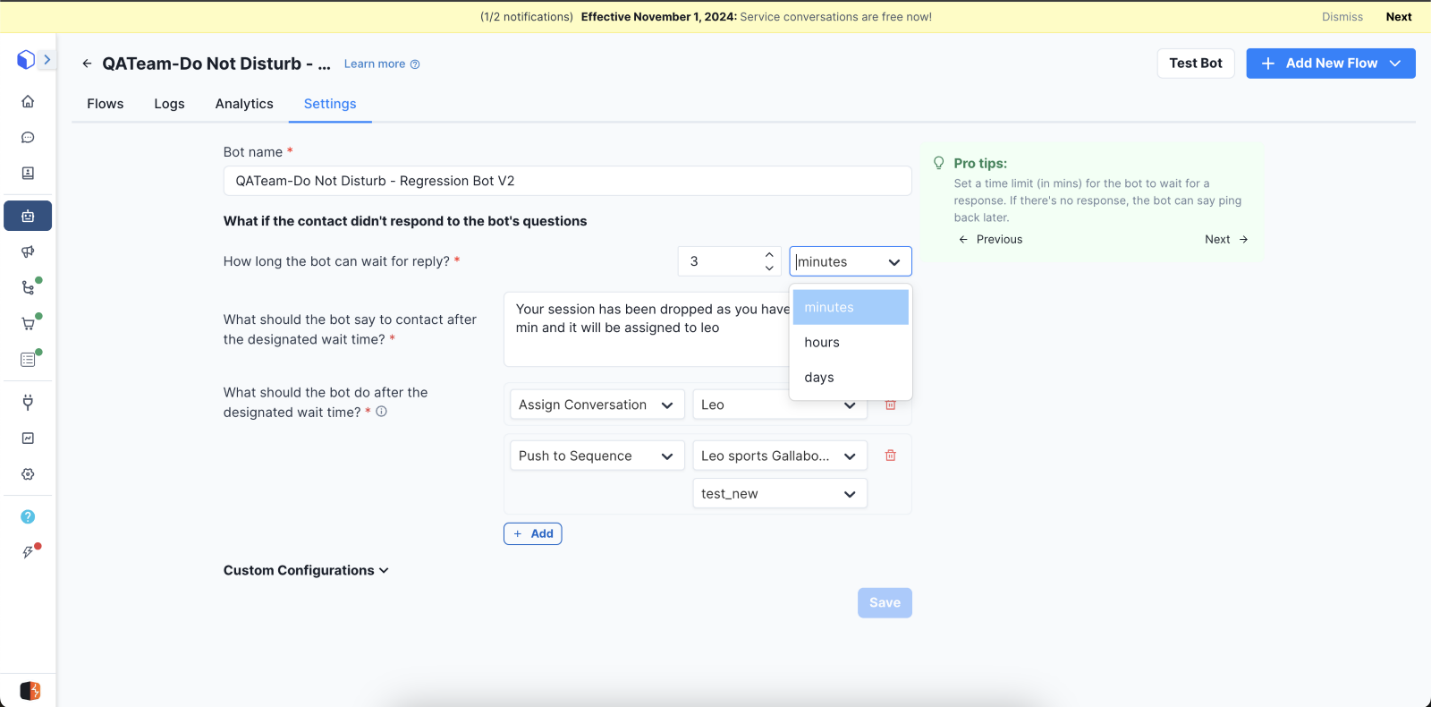
Sending a message when a bot session ends is now optional.
#### What this means?
● You can choose whether or not to send a message when a user drops off.
● Gives more flexibility in bot design.
### 4. Custom Code Support in AI Chat Agents
#### What’s new?
You can now add custom actions using simple code (JavaScript) inside AI chat agents.
#### What this means?
● More flexibility to customize how your AI agent behaves.
● You can automate advanced actions based on your needs.
### 5. AI Agent Versioning (Safe Editing)
#### What’s new?
You can now safely make changes to AI agents without affecting the live version.
#### How it works?
1. When you edit an agent, changes are saved as a Draft.
2. The Live version remains unchanged.
3. You can:
○ Test the draft
○ Compare changes
○ Publish when ready
4. Every publish creates a new version (up to last 10 versions saved).
5. You can restore any previous version anytime.
# March 18 : Test Your AI Agent Instantly
### 1. Test Your AI Agent Instantly (New Testing Widget – Beta)
#### What’s new?
You can now test your AI agent directly while building it, without needing WhatsApp or Instagram.
#### What this means for you?
● Earlier, you had to test your agent on WhatsApp or Instagram.
● Now, you can test it instantly inside the platform using a test widget.
#### How it works?
1. Make changes to your AI agent.
2. Click Save.
3. Use the test widget to try out the latest version.
4. Every time you save changes, the test resets and shows the updated behavior.
This helps you test faster before making the agent live.
### 2. Smarter Message Retry in Sequences
#### What’s new?
Messages in sequences can now automatically retry if they are not delivered.
#### What this means?
● If a message fails, the system will try sending it again automatically.
● This increases the chances of your messages being delivered.
#### How it works?
● Retry can be turned on for the entire sequence or for individual steps.
● By default, the system will retry messages for up to 2 days.
● It will keep trying until:
○ The message is delivered, or
○ The maximum attempts are reached.
#### Additional improvements
● All retry attempts are now tracked with details like time, status, and errors.
● When retry is enabled, messages can be sent at any time for better delivery.
# March 10 : New WhatsApp Partner Added (Karix Integration) and Better Handling of WhatsApp Payments
### 1. New WhatsApp Partner Added (Karix Integration)
#### What’s new?
We’ve added a new WhatsApp service provider called Karix.
#### What this means for you?
● You now have another option to send WhatsApp messages.
● It also supports WhatsApp voice features.
● The setup process is simple and similar to existing providers.
### 2. Better Handling of WhatsApp Payments
#### What’s improved?
Payment updates from WhatsApp are now handled more accurately.
#### In simple terms
● If a payment fails first but succeeds later, the system will now correctly treat it as successful.
● Your bot will follow the correct success flow automatically.
● All payment updates are tracked properly for better visibility.
Note:\
If a payment confirmation comes after a long delay (beyond 24 hours), some actions may not work unless properly configured.
# March 3 : Better Handling of Messages Sent from WhatsApp/Instagram Apps and Improved Text Editor for
### 1. Better Handling of Messages Sent from WhatsApp/Instagram Apps
#### What’s new?
You can now control how messages sent from your WhatsApp Business App or Instagram App behave inside the system.
#### What this means?
When you (the business) send a message from your mobile app, the system can now automatically create and assign the conversation to a specific agent.
#### If this setting is turned ON
Here’s what happens:
1. When you send a message from WhatsApp or Instagram:\
→ A conversation is instantly created in the system.
2. The conversation is automatically assigned to a default agent.
3. If the conversation was already assigned to someone else or a bot:\
→ It will now be reassigned to the default agent.
4. When the customer replies:\
→ The bot will not interfere (since a human agent is already handling it).
#### If this setting is turned OFF (default)
1. Messages you send are treated as simple notifications.
2. A conversation is created only when the customer replies.
3. The system then assigns the conversation based on normal rules (agent, bot, etc.).
4. No reassignment happens if a message is sent during an ongoing chat.
### 2. Improved Text Editor for Agents
#### What’s improved?
The text editor used by agents is now better.
####
#### What this means?
● You can format text more clearly.
● Prompts and messages are easier to read and write.
● Overall, it improves how agents create responses.
# February 16 : Automatically Assign Chats to an AI Agent
### ✅ New Feature: Automatically Assign Chats to an AI Agent
#### What’s new? You can now automatically assign conversations to a Chat AI Agent when certain fallback rules are triggered.
What this means?\
If a conversation needs to be handed over (for example, when a bot cannot handle it or the chat becomes inactive), the system can directly assign the chat to an AI agent.
What’s improved?\
Earlier, after assigning a conversation to an AI agent, the agent would only respond after the customer sent another message.
Now, this is faster:
● If the last message is from the customer, the AI agent will start responding immediately after the chat is assigned.
● The customer does not need to send another message.
#### Where this works?
● Works for WhatsApp conversations
● Works for Instagram conversations\
⚠️ Note:\
This feature works only with AI agents created using the new AI agent workflow.
# January 20 : MM Lite Setup During Login
### New Feature: MM Lite Setup During Login
#### What’s new? MM Lite will now be automatically enabled for new users who are eligible.
#### What this means for you
● New users:\
MM Lite is turned on by default — no extra steps needed.
● Existing users:\
If you’re eligible but MM Lite is not enabled yet, you’ll be guided to turn it on.
#### How it works (Simple Steps)
1. An Admin or Owner logs in.
2. They complete two-factor authentication (2FA).
3. If MM Lite is available for the account, the system automatically opens the MM Lite setup screen.
4. You can enable MM Lite from Channel → Configure → Enable MM Lite.
# January 29 : Easier Way to Create and Manage AI Agents and Simpler Two-Factor Authentication Setup
### New Features & Improvements
#### 1. Easier Way to Create and Manage AI Agents
What’s new?\
We’ve introduced a single screen where you can view and manage all AI agents and bots in one place.
What this means for you?
● You can see chat AI agents, voice AI agents, and rule-based bots in one table.
● It’s easier to manage and organize all your automation tools.
Creating an AI agent is now simpler:\
When creating a new AI chat agent for WhatsApp or Instagram:
1. Select your industry.
2. Choose the use case (for example: customer support, lead generation, etc.).
3. The system will automatically suggest a ready-to-use agent name and setup.
This makes the setup faster and easier, especially for new users.
Instagram channel support added\
You can now also configure Instagram channels when creating AI agents.
#### 2. Simpler Two-Factor Authentication Setup
What’s changed?\
Setting up two-factor authentication (2FA) is now easier.
Before:\
Users had to enable Email Authentication first, and then enable TOTP authentication, which added an extra step.
Now:\
You can directly choose either option:
● Email Authentication, or
● TOTP authentication (using an authenticator app)
This makes the account security setup quicker and more flexible.
# December 15 : Instagram Automation
New Features:
● You can now set different automated replies for each Instagram post, making responses more relevant.
● Custom intent categories help you better organize and respond to customer comments.
● Sequences can now be viewed in a simple list format, making them easier to scan and manage.
● Account security is stronger with mandatory two-factor authentication for Owners and Admins.
### 1. Instagram Comment Automation – Post-wise Control
#### What’s new? You can now set different automation rules for each Instagram post, instead of using one rule for all posts.
#### What this means for you
● Each post can have its own reply logic.
● You can share links or replies based on what the user comments.
● Replies feel more relevant and personalized.


### 2. Create Your Own Custom Intents on Instagram
#### What’s new? You can now create custom intent categories instead of using only default ones.
#### Why this helps
● Organize comments and automation better.
● Match replies more closely to what users are asking for.\
####
#### How it works (Simple Steps)
1. Create a new intent from the intent management section.
2. Use this intent in your automation rules.
3. Manage and edit your intents anytime.

### 3. Sequence List View (Table Format)
#### What’s new? Sequences can now be viewed in a list (table) format, not just cards.
#### What you’ll see
● Same information as before, now shown in rows and columns.
● Easier to scan and compare sequence performance.

### 4. Stronger Security with Two-Factor Authentication (2FA)
#### What’s changed? Two-factor authentication is now mandatory for Owners and Admins.
#### Why this matters
● Adds an extra layer of protection for your account.
● Keeps sensitive data safer from unauthorized access.


# December 18 : Merge Contacts and Voice Call
New Features:
● You can now merge the same customer’s conversations from WhatsApp, Instagram, and Web Chat into one single contact profile.
● Customers can also call your business on WhatsApp, and an AI voice agent will automatically answer these calls.
● All incoming calls can be tracked by Admins and Owners for better visibility
### 1. Merge Contacts Across Different Channels
#### What’s new? You can now merge the same customer who contacts you on WhatsApp, Instagram, or Web Chat into one single profile.
#### What this means for you
● All messages from different channels are combined into one contact.
● Tags, details, and past conversations are not lost.
● You’ll see all conversations together when you search for that contact.
⚠️ Note: Merging contacts from the same channel is not allowed.


###
### 2. WhatsApp Voice Calls with AI (Powered by ElevenLabs)
#### What’s new? Customers can now call your business on WhatsApp, and an AI voice agent will answer the call.
#### 
#### How it works (Step-by-Step)
1. Admin sets up calling in Channel Settings.
2. Add the ElevenLabs API key and select an AI agent.
3. Turn on WhatsApp calling.
4. Customers will see a call icon and can call your business.

#### What happens during a call
● Only incoming calls are supported.
● When a customer calls, the AI agent answers and talks based on the instructions you’ve given.
● The call appears in the Incoming Calls section for Admins and Owners to track.\
# December 30 : Pricing changes
What’s changed?
WhatsApp has updated the cost of sending business messages starting January 1, 2026.
#### What does this mean for you?
● Marketing messages
○ Will become cheaper for France and Egypt
○ Will become costlier for India\
● Utility and Authentication messages
○ Will become cheaper for North America
These new prices will be applied automatically to your billing from the effective date.
Where will it be visible?\
\
You’ll see a notification banner inside the product.\
Clicking the banner will show detailed pricing information.
Updated Pricing:
[Rate Cards Updated- Jan 1](https://docs.google.com/spreadsheets/d/1jbOKUyrwhrVdq0hlx_ga7z2ckLEfWLZFRUeO36N92JU/edit?gid=2058038794#gid=2058038794)
# November 27: Bot Update: Contact Source Details Available Inside Bot Flow
###
#### What was happening earlier?
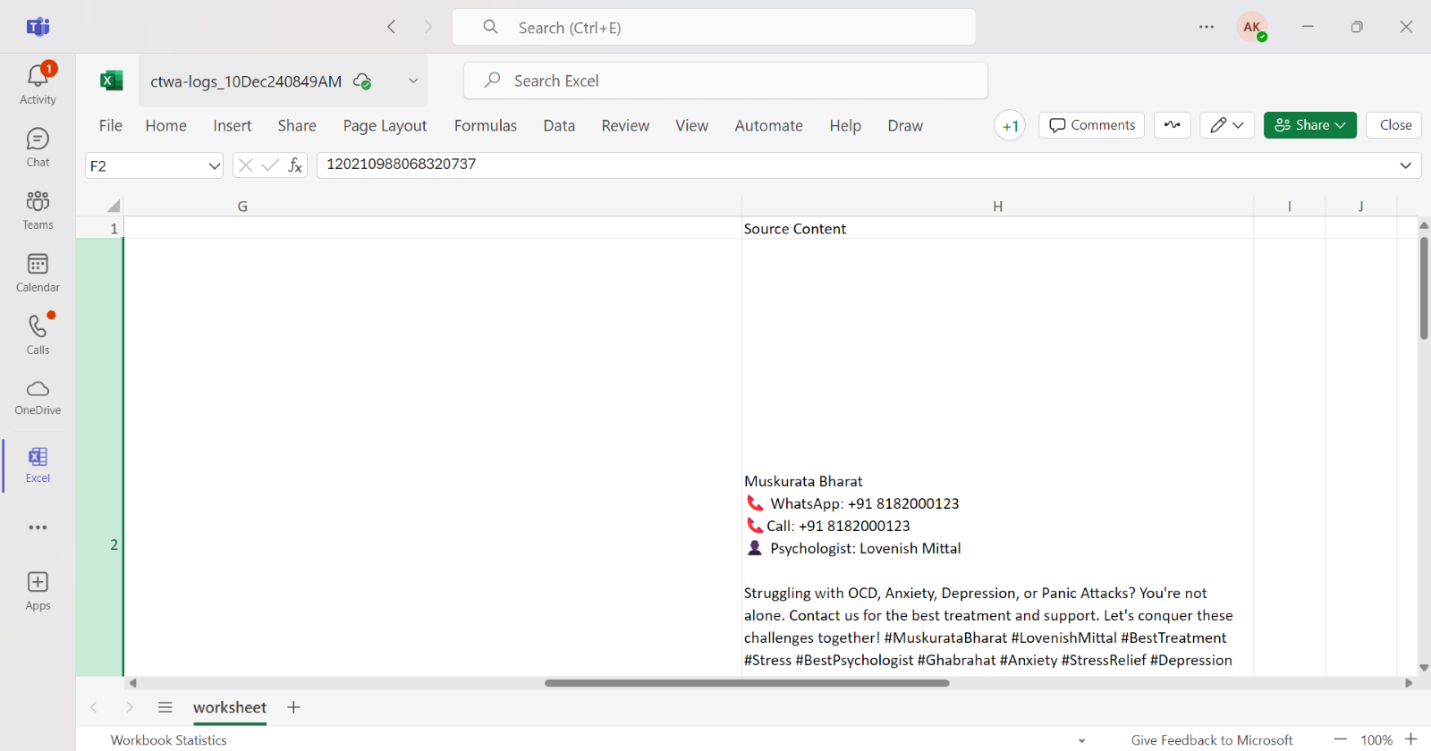
● The bot could only access CTWA (Click-to-WhatsApp Ad) details like Source URL and Source ID *during the chat session* and only when the conversation was assigned to the bot.
#### What’s new now?
● These CTWA details (Source URL and Source ID) are now saved directly in the contact’s profile.
● This means the bot can use these details at any time during the flow, not just during the active session.
#### Why does this help?
● Bots can tailor responses better based on where the customer came from.
● You can use these source details in conditions, messages, or routing inside your bot flow.
#### Step-by-step guide on how it works?
1. A customer clicks a CTWA ad and starts a conversation.
2. The system automatically saves the ad’s Source URL and Source ID in the contact details.
3. When building a bot flow, you can now use these fields anywhere.
4. The bot can personalize logic or messages based on these details.

# November 24: New Dashboard Analytics V2 (Beta)
New Dashboard Analytics V2 (Beta)
#### What’s new (in simple words):
1. You can now see your conversation numbers with percentage comparisons to understand whether things are going up or down.
2. Each chart or analytics view can be downloaded as its own report.
3. A new heatmap shows which hours of the day get the most conversations.
#### Step-by-step guide on how to use it:
1. Press CTRL + K on your keyboard.
2. Type “dashboard”.
3. Open Dashboard Analytics V2 from the search results.
4. View your charts, heatmap, and comparison numbers.
5. Click Download on any chart if you want a detailed report.
### Restrict Template Sending in Inbox (Role-Based Control)
#### What’s this feature? Admins can now hide template-message options for specific user roles.
#### Why it helps: Useful when you want only certain people (like Owners/Admins) to send templates, while others can only send normal messages.
####
####
####
#### Step-by-step guide on how to enable it:
1. Go to Settings → Users & Roles.
2. Choose the role you want to restrict.
3. Turn ON the toggle: “Restrict the ability to send templates in the inbox.”
4. For that role:
○ All template options will disappear.
○ They can still send normal messages if the 24-hour window is open.
5. Owners and other unrestricted roles will continue to see all template options.


###
###
### Inbox Replies Allowed Even When Credits Are Zero
#### What is changing?
Previously, users couldn’t reply in the inbox if message credits were zero.\
Now, replies are allowed as long as the customer messaged within the last 24 hours.
#### Simple explanation:
● Inside 24 hours: You can reply normally, even with 0 credits.
● Outside 24 hours: You must recharge credits before replying.
#### How it works (Step-by-Step):
1. Open the conversation in the Inbox.
2. If the customer messaged you within 24 hours:
○ You can type and send a normal message.
○ Templates are still restricted if credits are zero.
3. If more than 24 hours passed:
○ A message will appear asking you to recharge your credits before you can reply.


# 19 November: Lead Pipeline Management
We have introduced a new Lead Pipeline feature to help sales teams track their leads more easily.
What does this feature do?
1. It helps you see where each lead is in your sales process.
2. You can create different stages (for example: New Lead → Contacted → Follow-up → Negotiation → Won/Lost).
3. You can clearly mark when a lead is won or lost, and at which stage it happened.
4. This helps you understand how your sales team is performing and where leads drop off.
Step-by-step guide on how to use:
1. A default pipeline called “Sales Pipeline” is already set up for you.
2. Each lead will move through different stages inside this pipeline.
3. When you update a lead, you simply change its stage — for example, from New to Contacted.
4. When the lead is finished, choose whether it is Won or Lost.
5. The system automatically records the final stage where the lead was won or lost.
6. You can view all leads and their stages to understand your overall sales progress.


# 14 November: MM Lite,Meta Rate Limit
New Features:
We’ve improved goal tracking in sequences by allowing success/failure tracking for the final step. You can now enable or disable MM Lite directly from your WhatsApp Channel settings with a simple toggle. Meta’s new rate limit rules can be updated instantly by clicking the Sync button in your Channel page.
Better Goal Tracking in Sequences (Final Step Fix)
What was the problem earlier?
The last step of a sequence didn’t update the success or failure results correctly in reports.
What’s fixed now?
You can now mark the final step as “Success” or “Failure,” and it will show properly in your reports.
Step-by-step guide on how to use:
1. Open your Sequence.
2. Go to the final step.
3. Choose whether this step should count as a Success or Failure.
4. You’ll see a banner at the bottom explaining that this enables Goal Tracking.
5. By default, the system will track the goal for 1 day after the step runs.
6. You can increase the tracking period up to 7 days, if needed.

### MM Lite – Easy On/Off Toggle in Channel Settings
#### What’s new? You can now turn MM Lite on or off directly from your WhatsApp Channel settings.
#### What this means
● If MM Lite is ON, all messages (bot, sequence, broadcast, and manual messages) will go through MM Lite.
● If MM Lite is OFF, messages will use the Cloud API instead.\
####
####
#### Step-by-step guide on how to use:
1. Go to Settings → WhatsApp Channel → Channel Configure.
2. Look for the MM Lite toggle.
3. Turn it ON if you want all messages to go through MM Lite.
4. Turn it OFF if you want messages to go through Cloud API.
#### Default behavior
● Existing users who already have MM Lite permission → toggle will be OFF by default.
● New users who get MM Lite during onboarding → toggle will be ON by default.
● If you don’t have MM Lite permission → you will see an Enable button that takes you to Meta Business Manager to activate it.


###
###
### Meta Rate Limit Update
Meta has changed how message limits work (now it's based on the whole portfolio).
#### What you need to do: To update your account with the latest limit:
Step-by-Step guide on how to do it:
1. Go to your Channel page.
2. Click the Sync button.
3. Your limits will refresh automatically.

# 13 November:Add ons , Rich Meta Catalog
New Features:
You can now buy or remove add-ons directly from the product page, see richer product details from Meta Catalog in WhatsApp orders through a smart check feature, and opt-in/opt-out behavior option that no longer creates or unassigns conversations.
Buy/remove add-ons from the product page
Goal: Make buying add-ons simple and only show options that match the user’s plan.
Step-by-step guide:
1. Open Products in your account.
2. Find the product you want to change.
3. Click Buy Addon (or Manage Addons) next to that product.
4. You’ll see only the add-ons that apply to your current plan.
5. Select the add-on(s) you want and confirm the purchase.
6. The add-on is applied immediately.

###
#### Show richer Meta Catalog product details in WhatsApp orders Goal: Agents and customers see full product info (ID, description, URL, images) inside the inbox cart and order page.
#### Step-by-step guide:
1. Open a conversation that contains an order (inbox cart view).
2. You should check: product content ID, product description, website URL and images pulled from Meta Catalog.
3. Click the View Order (or cart) CTA to open the detailed order page for that specific order.

Important Note:
Before:\
When a customer opted in or out of marketing messages, the chat got removed from the agent/bot, or the system created a new unassigned chat.
Now:\
When a customer opts in or out, the chat stays with the same agent or bot.\
If there is no active chat, the system will not create a new one.
# 10 October: Conversation Starter for Instagram, Free Meta Whatsapp Number and Webhook Customization
### New Feature: Conversation Starters for Instagram Channel
We’ve added a new “Conversation Starters” section to the Instagram Channel page under Settings → Instagram Channel.
With this update, businesses can now create interactive ice breakers to help initiate conversations directly on Instagram.
Key Details:
* You can enable Conversation Starters from your Instagram Channel settings.
* Add up to 4 ice breakers per connected Instagram Business account.
* Each ice breaker can be up to 80 characters long.
* You can add, edit, or delete starter questions anytime.
Example (E-commerce Business – T-shirt Store):
“Looking for our latest graphic tees?”\
“Need help finding your size?”\
“Want to know our ongoing offers?”
This helps engage customers instantly and guide them toward relevant information or products.
### Meta Free WhatsApp Number Notification & Banner
We’ve added an alert and banner to improve clarity when connecting free WhatsApp Business numbers via Meta.
Key Details:
* An alert now appears when connecting a free WhatsApp Business number, informing users about display name approval requirements and feature limitations — while still allowing the connection.
* A persistent banner will remain visible on the Channel page until the number is approved, encouraging users to upgrade to a paid WhatsApp API number for full access to advanced features and higher messaging limits.
This helps ensure users are fully aware of the restrictions and benefits before proceeding with their WhatsApp setup.
### Enhancement: Custom Naming for Webhook Configuration
We’ve introduced the ability to add custom names for webhook configurations within the platform.
Key Details:
* A new mandatory “Webhook Name” field has been added to help users easily identify and manage webhooks in lists and logs.
* Existing webhooks have been auto-assigned default names for continuity.
* Users can rename webhooks anytime for better clarity, organization, and tracking.
This enhancement improves visibility and management of multiple webhook integrations across channels.
# 15 October: Broadcast Enhancement
Retry for broadcasts is now turned on by default (Smart Retry is the default), and the same retry logic is added to MM Lite marketing broadcasts. Users can still turn retry off or change settings.
**Key Changes**:
1. In new broadcasts, the “Enable Broadcast Retry” option is switched on by default. Smart Retry is the default retry method.
2. When you click Send broadcast, the system will ask (validation) for the date range for retries.
3. MM Lite marketing broadcasts (Advanced Mode) now also support retry logic, matching Standard Mode behavior. Smart Retry is enabled by default for MM Lite too.
4. In all cases, users can still turn retry off or select Manual Retry / change delivery mode if they prefer.
### Step-by-step: Sending a broadcast (what a user will see & do)
1. Create your broadcast as usual (select audience, template, message).
2. Notice: “Enable Broadcast Retry” will already be checked. The retry method will show Smart Retry by default.
3. Click Send broadcast. A validation pop-up will appear asking you to pick the date range for retries — choose the days you want retries to run.
4. If you don’t want retries, uncheck Enable Broadcast Retry before sending.
5. If you prefer manual control, change the retry option from Smart to Manual in the same panel.

### Step-by-step: Sending an MM Lite marketing broadcast
1. In MM Lite “Advanced Mode”, create your marketing broadcast.
2. You will now see the retry option (Smart/Manual) in the UI — Smart is selected by default.
3. If needed, change Delivery mode (Advanced vs Standard) or turn retry off.
4. Set the retry date range when you send (same validation step as other broadcasts).

Example A — Default flow: You send a broadcast; Smart Retry will automatically try again for contacts who didn’t get the message, during the date range you picked.
Example B — No retry: Before sending, uncheck Enable Broadcast Retry → system will not attempt retries.
# 30 September : WhatsApp Message Price Changes
### 📢 WhatsApp Message Price Changes
WhatsApp has updated the cost of sending business messages in some countries. These new prices will apply from October 1, 2025.
#### What this means for you
The cost of sending WhatsApp messages may increase or decrease depending on the country and type of message you send.
#### Country-wise changes
● UAE: Marketing messages will cost a bit more
● Colombia: Utility and Authentication messages will cost more
● Mexico: Marketing messages will become cheaper
● Saudi Arabia, Argentina, Egypt: Utility and Authentication messages will become cheaper
● Zimbabwe: Messages to numbers starting with +263 will now follow “Rest of Africa” pricing
### 🔔 Pricing Update Notification in Gallabox
To make sure everyone is aware of these changes:
● You will see a banner notification in Gallabox when you log in.
● This banner will appear for all users, even if your country is not affected.
● Clicking “Learn More” will show you full pricing details.

# 27 September: Sequence Enhancement
### Sequence: Step Log and Reporting Improvement
\
We’ve upgraded the Sequence Logs experience to make monitoring and debugging much easier.
How to Access:\
Go to Sequence → Select a Sequence Name → Logs
What’s New:
* Step numbers are now displayed in execution order for better clarity.
* The label “Step Name” has been updated to “Template Name.”
* Sent date/time is now shown in a more user-friendly format.
* Error reasons are displayed for failed or queued steps.
* The View Conversation tab is now easier to access.
* The Logs Home Page includes a new Error component and improved filter order.
These enhancements help users quickly identify issues, review message flow, and manage sequences more efficiently.
### Sequence Enhancement: Drop on Message Failure
We’ve added a “Continue on Success” option to improve sequence control when messages fail.
Key Details:
* By default, sequences continue even if a message fails.
* If “Continue on Success” is enabled, the sequence stops at the first failed message.
* The contact is moved to a Dropped state with a “Message Failed to Send” indicator.
* Clicking on the contact opens the Step Log, highlighting the failed step for easier troubleshooting.
This feature gives users more control over message sequences and helps quickly identify issues.
### Sequence Enhancement: Improved Error Handling
We’ve optimized how sequences handle specific error cases to improve accuracy and reporting.
Key Details:
* Contacts with Error 131026 (Not in WhatsApp) are now moved to Dropped with the reason “Contact Not in WhatsApp.”
* Contacts with Error 131050 (Opted Out) are marked as Dropped, and the Marketing Opt-In field is automatically updated to No.
These updates ensure clearer tracking of failed messages and maintain accurate contact status for marketing compliance.
Sequences now automatically remove contacts who cannot receive messages, ensuring smoother execution and cleaner contact lists.
Key Details:
* Contacts not reachable via WhatsApp or who have opted out are moved to Dropped automatically.
* This prevents further sequence steps from attempting delivery and keeps sequence logs accurate.
# 25 September: AI Credits Purchase
**AI Credits Purchase**\
We changed how AI Credits are given and made it possible for partner accounts to buy credit add-ons from Gallabox
**Steps by step process**:
* Log in to your account .
* Go to Manage Subscriptions.
* Open the subscription management panel.
* Choose the AI Credits add-on you want to buy.
* Complete the purchase through the flow (review price, payment method, confirm).
* Credits will be applied immediately (and will follow the new calendar-day prorating logic).

**Partners can buy AI credit add-ons directly**\
\
Partner accounts (both parent and child) can use the AI wallet in Manage Subscriptions to purchase extra AI credits. No separate flow is required.
Example: if credits are issued on Oct 1, they apply to all accounts from Oct 1 onward (prorated by day), not from each account’s personal renewal date.
Previously credits might have been tied to each subscription’s cycle. Now credits are given based on the day of the month (calendar day), not the subscription cycle.
AI credits are now prorated by calendar day
# 24 September : AI Agent in free trial
New Features:
● You can now try the AI Agent for free with 500 AI credits and upgrade anytime.
● Instant help is available via a new live chat widget (currently in the UAE).
● Analytics now support filtering conversations by multiple agents, and channel logs make troubleshooting easier.
### 1. AI Free Trial (Try AI Agent Easily)
#### What’s new?
You can now try the AI Agent for free using an AI Free Trial.
#### Who gets it and how it works
● New users (Free Trial):\
AI Free Trial is enabled automatically.
● Subscribed users:\
You can manually enable the AI Free Trial from your homepage.
#### Step-by-Step: How to use the AI Free Trial
1. Activate the AI Free Trial (auto-enabled for new users).
2. You will receive 500 free AI credits.
3. Use the AI Agent inside your Bot Flow.
4. You can see:
○ Total credits available
○ Credits already used
5. Once all 500 credits are used:
○ You can choose to buy an AI add-on and continue using AI.
#### For users already using AI credits
● Your AI credit balance will now be shown clearly, just like message credits.


### 2. Intercom Live Chat Widget (Get Instant Help)
#### What’s new?
A new Intercom live chat widget is now available to help you get instant answers.
#### What this does
● Uses AI to answer questions from our documentation.
● Reduces waiting time and repeated support questions.
#### Where you’ll see it
● Getting Started
● Conversations
● Sequences
● Bots
● Catalogs
● WhatsApp Flows
● Integrations
● Help section (always available)
⚠️ Note:\
This feature is launched only in the UAE region for now and will be available in other regions soon.

### 3. Analytics Dashboard: Filter by Multiple Agents
#### What’s new?
You can now filter conversation data by multiple agents and bots in the Analytics Dashboard.
#### How to use it (Step-by-Step)
1. Open the Analytics Dashboard.
2. Go to the Conversation Status section.
3. Select one or more agents or bots.
4. View how many conversations are open or resolved for them.

### 4. Manage Channels Page: View Channel Logs
#### What’s new?
The Manage Channel page now includes Channel Logs.
#### What you can see
● Phone number status
● Channel connection status
● Error or failure reasons
#### Why this helps
● Makes it easier to troubleshoot channel issues.
# 17 September : Profile Pictures for Instagram Contacts
## New Features:
New Instagram contacts will now display their profile pictures, making it easier to recognize and manage conversations visually.\
This update applies only to newly created Instagram contacts.\
During partner and child account onboarding, country and state selection is now validated to prevent mistakes.\
Once onboarding is complete, these details are locked to ensure correct billing and tax information.
### ✅ 1. Profile Pictures for Instagram Contacts
#### What’s new?
New Instagram contacts will now show their profile picture inside Gallabox.
#### Why this helps
● Makes it easier to recognize and identify Instagram contacts.
● Improves clarity and consistency when viewing contact details.
#### How it works (Step-by-Step)
1. A new customer messages you on Instagram.
2. Gallabox automatically fetches and shows their profile picture.
3. You’ll see the image in the contact profile and conversation view.\
⚠️ Note: This applies only to new Instagram contacts. Existing Instagram contacts will not have profile pictures.

### ✅ 2. Clearer Country & State Selection During Partner Onboarding
#### What’s new?
We’ve added checks and clearer messages during partner and child account setup to avoid wrong country or state selection.
#### Why this is important
● Ensures correct billing and tax setup.
● Prevents mistakes during onboarding.
#### How it works (Step-by-Step)
1. During partner or child account onboarding, you select your country and state.
2. The system checks if the selection is valid and shows a clear message if something is wrong.
3. Once onboarding is complete, these fields are locked and cannot be changed.

# 12 September : Improved Template Library
New Feature:
● The Template Library is now easier to use with a cleaner list view and better clarity.
● You can filter templates by status (Approved, Pending, Rejected) and by category (Marketing, Utility, Authentication).
● This helps you quickly find the right template without confusion and saves time while creating messages.
### Improved Template Library (Easier to Find the Right Template)
#### What’s new?
We’ve made the Template Library clearer and easier to use when you’re creating or selecting message templates.
#### What this means for you
● You can now quickly see whether a template is Approved, Pending, or Rejected.
● You can easily filter templates by type, like Marketing, Utility, or Authentication.
● This helps you pick the right template faster, without confusion.\
#### How to use it (Step-by-Step)
1. Open the Template Library.
2. Use the Status filter to choose: All, Approved, Pending, or Rejected templates.
3. Use the Category filter to choose: Marketing, Utility, or Authentication templates.
4. Select the template you want and continue creating or sending messages.

# 10 September : Control contacts and Invoice Reminder
New Features:
Users can now control which contacts are visible by setting permissions to view all contacts or only the ones they own.
Partner accounts will now see a banner reminder when there are unpaid invoices. Partners can click Pay Now to view and pay all pending invoices for both parent and child accounts in one place.
### ✅ 1. Control Which Contacts You Can See
#### What’s new? We’ve added a setting that controls which contacts a user can view.
#### What this means for you
● Some users can see all contacts.
● Other users can see only the contacts they own (contacts assigned to them).
#### How it works (Step-by-Step)
1. An Admin goes to Roles & Permissions.
2. They choose a user role.
3. They select one of the options:
○ View all contacts, or
○ View only owned contacts.
4. Users will now see contacts based on this setting.


###
###
### ✅ 2. Invoice Reminder for Partner Accounts
#### What’s new?
Partners will now see a reminder banner if there are any unpaid invoices.
#### What you’ll see?
● When you log in as a Partner, a banner appears at the top if payments are pending.
● A “Pay Now” button is shown in the banner.\
#### How to pay (Step-by-Step)
1. Log in to your Partner Account.
2. If there are unpaid invoices, a banner appears at the top.
3. Click “Pay Now”.
4. You’ll be taken to a payment page showing:\
○ Child account subscription invoices
○ Parent account subscription invoices\
Parent account message credit invoices
5. Review the invoices and complete the payment.


# 8 September : Instagram AI Comment Automation
📢 New Feature: Instagram AI Comment Automation
We’ve introduced Instagram Comment Intent Classification & Automation to make managing Instagram interactions easier.\
* The system loads your latest 30 posts (or last 60 days) and analyses up to 1000 recent comments.
* Comments are auto classified into categories like *Buying, Support, Spam,* etc.
* Get analytics and insights on comment trends to prioritize engagement.
* Configure the system with your business details and set clear instructions for replies & DMs.
* Two modes available:
* Simulated Mode – Preview AI replies before sending.
* Live Mode – Instantly reply and send DMs on Instagram.
This feature helps you respond faster, stay organized, and boost customer engagement.
Steps to follow:
1\. On the left-hand side, go to settings and click on the IG channel.
2\. Once you are on the IG channel, navigate to the IG posts section and click on Automation Configurations to enable comment automations.
3\. You can view the intent comments (positive or negative comments) and confidence score by clicking on the IG Comments – Intents section.
Example of positive comments – “I like this design.”
Example of negative comment – “Hate this design.”
For example, if an interior design company were to automate IG comments, it could be categorized as follows:
Buying – “Can you share the cost for this kitchen design?”
Support – “I can’t open the link to your catalogue.”
Spam – Irrelevant or promotional comments.
Auto-reply – “Thanks for your interest! We’ll DM you our design packages.”
DM – Send your portfolio link or consultation booking page via DM.
\
\
\

# 3 September : Retargeting Broadcasts
📢 New Feature: Retargeting Broadcasts
We’ve introduced Retargeting Broadcasts to help you get better results from your marketing campaigns.
With this feature, you can:
1. Reach users who didn’t read your previous broadcast.
2. Re-engage users who didn’t click on any links.
3. Follow up with users who engaged positively (opened, clicked, or replied).
4. Retry sending messages for failed leads.
This gives you more flexibility to deliver the right message to the right audience at the right time, helping boost engagement and conversions.
Steps to follow:
1. Visit the Broadcast section in your Gallabox account.
2. Click on the broadcast list for which you’d like to trigger the Re-target. (Re-target button will be enabled only if the original broadcast has been completed.)
3. Click on the status for which you’d like to re-target broadcast. For example, “Delivered not replied”, “Read”, “Failed” leads.
4. Choose the template for the re-targeted broadcast.
5. Edit the variables as per your preference, click on confirm to activate the re-target. You may schedule the re-targeted broadcast as per your convenience.


# 29 August: Activity Log
### Activity log with Custom Date range
In this enhanced version of the Activity Log, users now have the flexibility to filter logs by specifying a custom date range. This feature can be accessed through the custom range filter located at the top-right corner of the page, allowing you to view activity data for any specific period you choose.\

# 24 August: Instagram Channel
### 🚀 Instagram Channel is Officially Here 🔥
**Gallabox is Now an Omnichannel Platform with Instagram DM Support**
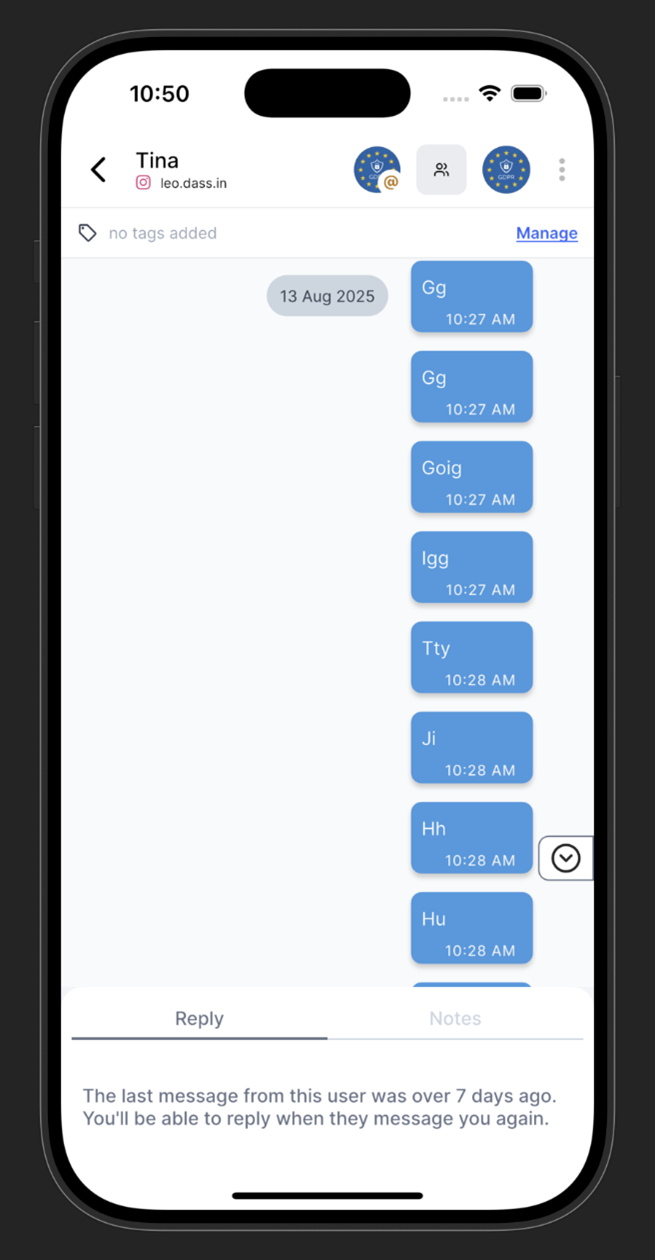
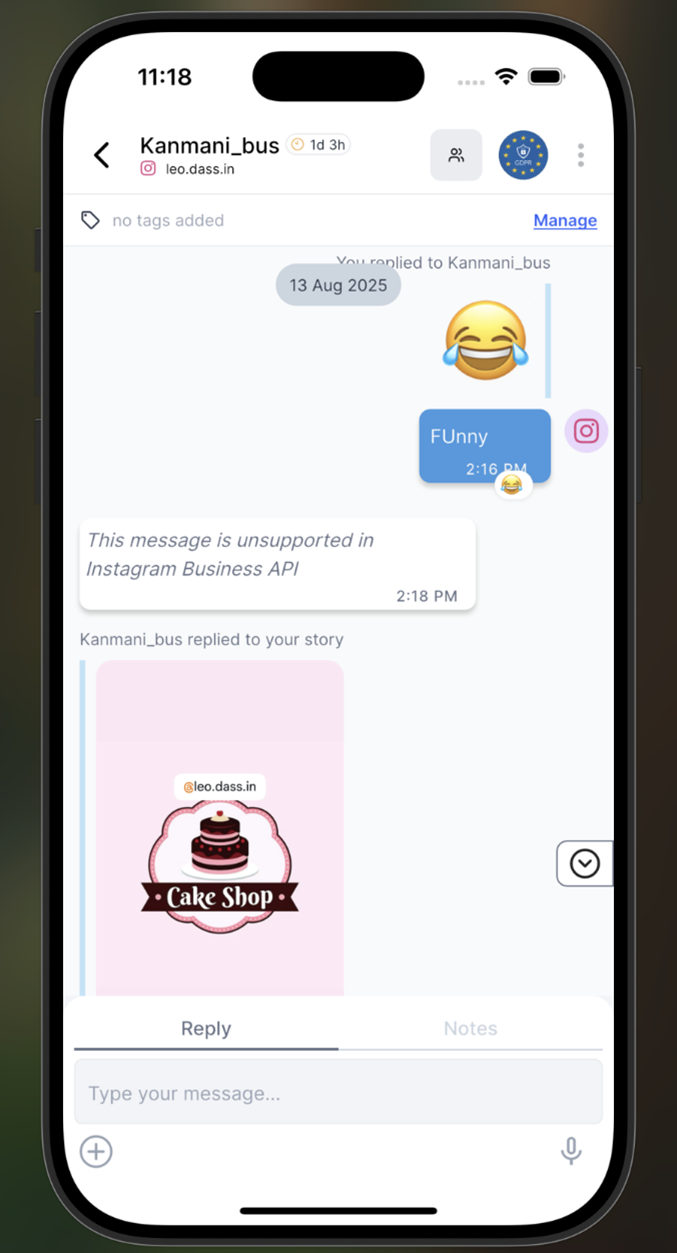
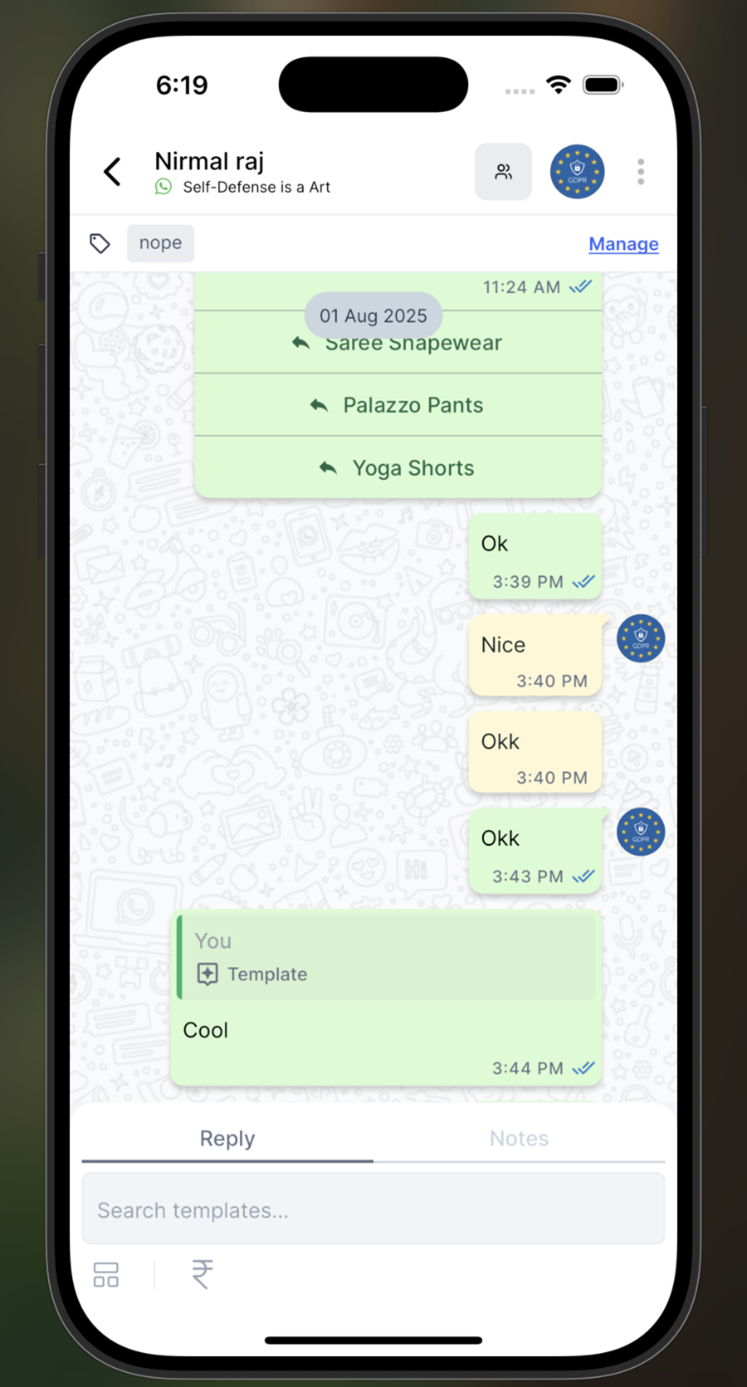
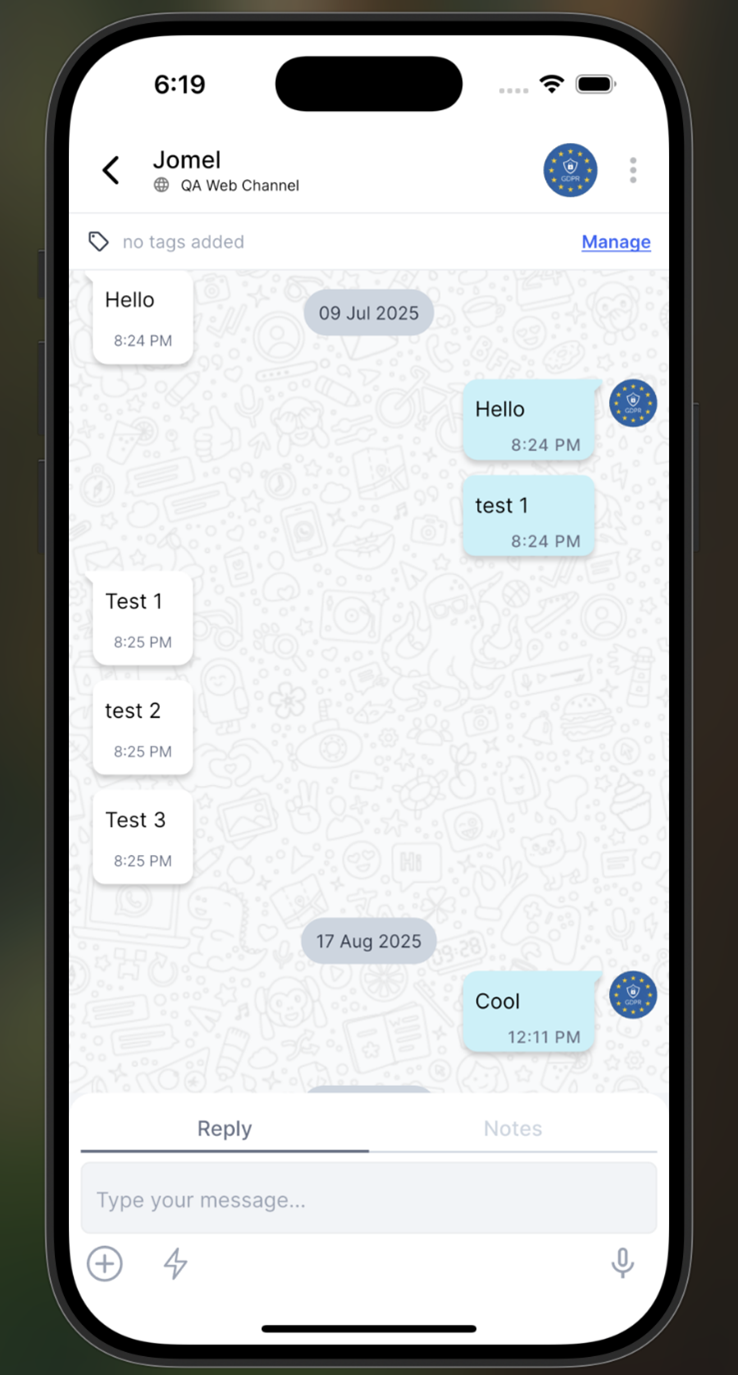
We are pleased to announce a significant update that brings Gallabox closer to delivering a true omnichannel experience. With this release, Instagram Direct Messages (DMs) are now officially supported alongside WhatsApp and Web Chat, all within a single unified inbox.
**What’s New**:
* **Unified Inbox**: Manage conversations from WhatsApp, Instagram DMs, and Web Chat seamlessly in one interface.
* **Multi-Channel Messaging**: All messages are clearly identified by their respective platform, making it easy to track and respond.
* **Assignment Feature**: Instagram DMs can now be assigned to users or teams, just like WhatsApp and Web Chat conversations.
* **Custom Views and Filters**: Create saved views and filters specifically for Instagram DMs for better organization and workflow efficiency.
This enhancement empowers your team to deliver consistent, efficient, and personalized engagement across multiple platforms without switching tools.
To configure the Instagram channel, navigate to:
\
Settings → Instagram Channel → Connect Instagram.
\
Follow the prompts to complete the integration and enable Instagram Direct Messaging within your Gallabox account.
**Instagram Chat View**
**Whatsapp Chat View**
**Web Chat View**
# 19 August: AI Agents, Payment Methods and Pipedrive
### AI Bot Flow has been renamed to AI Agents in the flow creation process
When you click on Bot, you will see the option Add New Flow on the right side. In this section, you can now choose AI Agent instead of AI Bot Flow. After selecting AI agents, there are few templates from which the users can select and the role, goal and instructions will be prefilled based on the template they select \
\
\
\
After selecting AI Agents, users can now choose from a set of predefined templates. Each template comes with prefilled role, goal, and instruction fields, making it easier to set up AI Agents quickly and efficiently.
The following UI label changes have been implemented for better clarity:
* Home has been renamed to Instructions.
* Files has been renamed to Knowledge.
\
\
* Instructions will now be part of Home (Instructions) and the existing flows with instruction will not be editable and can only be deleted. \
\

### Allow updating sub-accounts' billing address
Previously, sub-account users could not update the billing address displayed on their message credit invoices. With this update, sub-account users can now manage and update their billing address directly from their own login by navigating to:\
Profile → Subscription → View Billing Info.

### Payment Method Management Relocated for Easier Access
The payment method management functionality has been relocated from the “Manage Billing and Subscription” portal to the main Plan & Subscription page under 'View Invoices'. This update makes payment options easily accessible alongside other billing-related actions for improved usability.

### Enhancements to Pipedrive Bot Connector
* All Lead and Deal fields, including custom fields, are now available in the Bot Connector dropdown.
* The Lead Owner field is displayed for both Leads and Deals modules.
* The Stage selection option is now displayed only after the corresponding Pipedrive field is selected, ensuring accurate mapping.


### Video Template Compatibility Alert for Android Devices
While adding a video as header while creating a template ( Settings -> WhatsApp Template , we identified an issue where certain video templates in MP4 format may not play on specific Android devices due to unsupported metadata in the video file.
What’s New:\
To address this, we have introduced an alert mechanism. When a video is uploaded in a template, users will now receive an alert message with a link to convert the video format for better compatibility:\
[https://cloudconvert.com/mp4-converter](https://cloudconvert.com/mp4-converter?utm_source=chatgpt.com)
Where This is Implemented:
* Conversations – Send Template
* WhatsApp Template – Create/Edit
* BOT
* Broadcast – Segment/Excel
* Sequence
* Integrations (Generic Webhook, Cashfree only)
* Zoho Widget
This ensures that videos are properly formatted and play across all Android devices for a seamless customer experience.
 \
\

# 29 July: Enable MM lite for Dialog 360 Page
MM Lite is an AI-enhanced, performance-optimized version of the WhatsApp Cloud API, tailored exclusively for marketing messages. It improves delivery efficiency, cost-effectiveness, and campaign insights
· Customers can now enable MM Lite for Dialog 360 channels.
· After sending the request to Meta for MM Lite activation, the status will display as “MM Lite Pending” until the request is processed.
· Once Meta approves the request, the status will automatically update to “MM Lite Enabled.”
WhatsApp Template: Carousal Template improvement in bot. \
* In bot, Send Template, we can now map variables based on the carousel template which we select. \
\
 \
\
* We can map both body variables and card variables. \
Zoho Widget App Installation for Conversation Embedded Panel \
\
How to Use
* Go to Settings → Integrations → Zoho CRM.
* Connect your Zoho account and configure the fields you want to display.
* Once enabled, open any conversation in Gallabox. If the contact exists in Zoho CRM, their details will appear in the panel automatically.
* A new app has been added to the Integration list, designed to fetch Lead details from Zoho CRM and display them within the Gallabox conversation panel.
* The integration automatically uses the contact’s phone number from the ongoing chat to identify and fetch the matching lead from Zoho CRM.
* The retrieved details are displayed in an easy-to-read panel alongside your conversation for quick reference.
* Field visibility can be customized through the configuration screen to display only the most relevant information.
* The panel will continue showing data even after a lead is converted into a deal, ensuring uninterrupted context during conversations.
This feature eliminates the need to switch between platforms while chatting with customers. Agents can view critical lead details—such as name, stage, owner, and any custom fields—without leaving Gallabox, improving response time and personalization.
\


\
# 23 July: AI Credits Now Available as an Add-On
We are introducing AI Credits as an add-on feature to provide more flexibility and control over AI-powered functionalities in Gallabox.
What’s New:
* AI Credits Add-On:
* Users can now purchase AI Credits as an add-on.
* Each add-on includes 25,000 credits for 1 quantity.
* Additional quantities increase the credit count by 5,000 per quantity.
* Credits are applied on a pro-rated basis upon purchase.\
\
\
\

* AI-Based Flow Creation:
* Adding the AI Credits add-on will enable users to create AI-based flows in the Bot module.
* AI Wallet Placement:
* The AI Wallet is now visible in the left navigation, located just below Message Credits.
* Credit Management:
* Users can set a threshold for AI credits to receive email notifications when usage reaches the limit or is fully exhausted.
* Credits reset on the 1st of every month.
* Credit consumption details will be tracked daily and can be exported for reporting purposes.
\
 \
\
\
# July 11: Changes in API key creation
**Changes in API key creation**\
\
**Previous Behavior**
When creating a new API key from Settings → API Keys, users could only:
* Click “Add New” to generate a new API key.
* View and copy the Secret Key once, immediately after creation.
* The popup could only be dismissed after viewing the secret key.\
Improvements\
\
Following recent improvements to the API key creation module:
* After creating an API key, users can now copy both the API Key and Secret Key.
* To proceed, users must check a confirmation box acknowledging that the keys will not be shown again.
* Once the confirmation is acknowledged, users can dismiss the popup.
This update offers better clarity and flexibility during API key generation, ensuring users have sufficient access to both key components without compromising security practices.

\
\
Consolidated Conversation Notes in a Column\
\
To view internal notes for a conversation:
1. Click Conversations in the left-hand navigation panel.
2. In the conversation module, click the three-dot menu on the right side of any conversation.
3. Select “View Notes” from the dropdown.
***
Feature Overview
* Once selected, a summary of all internal notes associated with the conversation and contact will appear on the right panel of the conversation screen.
* Notes include internal comments added by agents, which may also contain mentions or tags directed at other agents for collaboration or reassignment.
\
\
\
Use Case
This feature helps teams:
* Maintain context across ongoing conversations.
* Track internal discussions or handover notes related to a contact.
* Improve agent collaboration by tagging relevant team members directly in the notes.

\
\
\
# 03 July: WhatsApp Template and Broadcast Improvements
### ⚙️ Improvements
#### **Broadcast: Action Date and Time Stamps**
Added new columns in the **Broadcast details** table to display the exact **date and time** of each message action. This enhancement gives users managing campaigns or customer support **complete delivery visibility**, helping them analyze performance and identify drop-offs more effectively.
#### **WhatsApp Template Creation: Custom Utility Category Alerts**
Implemented **pre-emptive alerts** for templates categorized as **Custom Utility** during creation.
Two types of warnings are now shown to improve clarity about Meta’s possible category changes:
* **Before Submission**: Alerts users that Meta may reclassify the template upon review.
* **After Submission / Approval**: Informs users that Meta may reclassify the approved template at any time.
These changes promote transparency and help avoid unexpected pricing due to automatic category reclassification.
#### **User Management: Restrict Last Owner Deletion or Role Change**
Strengthened validation to **prevent deleting or downgrading the last Owner role** in an account. This ensures every account always maintains at least one active Owner for secure administration.
# 30 June: Meta Per-Message Pricing Rollout + Utility Free Within Service Window
### ✨ **What’s Changed**
#### **New Per-Message Pricing Model**
1. Starting **July 1, 2025**, Meta is moving from **per-conversation** to **per-message** pricing.
2. Our system has been updated to support this new pricing structure.
#### **How Per-Message Pricing Works**
Charges will apply **per delivered message** based on type:
* Marketing template messages
* Authentication template messages
* Utility template messages *if sent outside the 24-hour customer service window*
Example:
* If you send 1 marketing message and 2 utility messages **outside** the service window you will be charged for **3 messages.** (1 marketing + 2 utility).
* If you send 1 marketing message and 2 utility messages **inside** the service window you will be charged for **1 message** (only the marketing message is charged; utility messages are free inside the window).
[Know More](https://gallabox.gitbook.io/gallabox-docs/pricing-and-billing-modules/new-per-message-pricing)
#### **Broadcast UI Update**
The checkbox in **Broadcasts** related to the old pricing model will be **removed.**
#### **Message Credits Page Update**
A new **"Per Message Transaction"** tab will be added to track per-message charges effective from July 1, 2025. The existing **"Conversation Transactions"** will continue to be displayed for 6 months before being deprecated.
This change ensures your Gallabox account is fully aligned with Meta’s new pricing approach, giving you clear visibility into your messaging costs under the updated model.
# 27 June: Custom Views and Conversation Revamp
### ✨ New
#### **Introducing Custom Views**
You can now create **Custom Views** in the Inbox to save time and stay organized. Filter conversations using **contact fields**, **conversation tags**, and **segments**. Each Custom View dynamically updates based on your saved criteria.
#### **Revamped Conversation UI**
The conversation module has a refreshed look! Conversation buckets are now arranged vertically, while retaining their familiar count logic. Selecting a bucket will display its conversations in the adjacent section, just as before.
# 11 June: SSO Design, Away Message Logic Enhancement & WhatsApp Field in Bot Connector
### ⚙️ Improvements
#### **1. Enterprise SSO – Login & User Management Enhancements**
We have refined the **SSO login experience** for enterprise users and improved visibility within **Users & Roles**:
* A new **“SSO” column** is now displayed beside users who have SSO enabled.
* If SSO is disabled for the account:
* The “SSO” column will **disappear**
* A **“2FA” column** will appear instead
These changes help admins easily identify the type of authentication active for each user.
#### **2. Away Message – Triggered on First Message**
We have updated the logic for **Away Messages**:
* Previously, away messages were only triggered on the **second message** from the user.
* Now, if a customer sends a message when the agent is unavailable, the **away message will be triggered immediately** on the **first message**.
This ensures a more responsive and informative user experience from the start.
#### **3. Bot Connector – WhatsApp Number Field Made Optional**
We have added more flexibility to the **Bot Connector** setup:
* The **WhatsApp phone number field**, which is passed from HubSpot, is now an **optional field** in the Bot Connector.
* This helps streamline setup in cases where the number isn’t mandatory.
# 04 June: Voice Input Enhancements & HubSpot Sync Fixes
### ⚙️ Improvements
1. **Bot – Voice Input Saved as Session Variable**
Voice input is now more powerful in Gallabox bots. For supported **Ask Cards**, the bot can now:
* **Accept a voice note from users**
* **Store the voice input as a session variable** in the flow
{% hint style="info" %}
This option is available under **Advanced Settings** while configuring the card. The voice note is saved in **text format as a URL** for reference or future use.
{% endhint %}
2. **HubSpot Integration – Send Message Node Improvements**
We have resolved issues and improved data syncing for the **Send Message Node in HubSpot integrations**:
* If a **name exists in HubSpot**, it will now be accurately reflected in Gallabox (previously defaulted to "Guest").
* If no name is found, Gallabox will continue to use “Guest” as fallback.
* Additionally, we’ve added support for the **Email field** in the template configuration, improving contact detail mapping.
# 30 May: Image Visibility Settings, Field Usability Enhancements & Shopify Integration Update
### ⚙️ Improvements
#### **Conversation Inbox – Image Visibility Configuration**
\
We have added a new setting to **control image visibility** in the Conversation Inbox:
* Images are now **hidden by default**.
* Users can enable a global **Image Visibility Configuration**, or **manually toggle visibility per image** within the conversation thread.
* This setting is **channel-based** and applies to **all users and roles** who have access to conversations.
This update helps declutter the inbox and improves message focus, especially in image-heavy conversations.
#### **Contact & Company Fields Usability Enhancements**
\
We have made improvements to how custom fields work within contact and company records:
* Users can now **create duplicate "Label" fields**.
* However, creating duplicate **“Name” fields inside field collections** is restricted to maintain clarity and prevent data issues.
These changes offer more flexibility while keeping key field integrity intact.
#### **Shopify Integration – Redirection to App Store**
\
We have improved the Shopify integration flow:
* When setting up a **new Shopify integration**, users will now be **redirected to the Shopify App Store** to install the Gallabox extension.
* Once installed via Shopify, the **Shop URL is automatically synced** to your Gallabox account.
* Any further configuration can be completed directly within Gallabox.
This change ensures a smoother, more standardized integration experience using Shopify’s native flow.
# 23 May: SSO Authentication, and Widget Layout Enhancements
### ✨ New
#### **Enterprise Feature – SAML-Based SSO Authentication**
We are rolling out **SAML-based Single Sign-On (SSO)** as a **paid enterprise add-on** to improve login security and simplify access for organizations.
Here’s what’s new:
* A **"Login with SSO"** button is now available on the Gallabox login screen.
* Users will be asked to enter their **work email** and click **Continue**.
* If the domain has SSO enabled, they’ll be redirected to the organization’s **SSOReady login**.
* If SSO isn’t enabled, an error will notify them:\
🛑 *“Your organization has not enabled SSO.”*
* If the user exists but isn’t invited:\
🛑 *“You don't have access to Gallabox yet. Please contact your admin.”*
* If the token is invalid or rejected:\
🛑 *“Authentication failed. Please try again or contact your admin.”*
Additional Notes:
* For SSO-enabled orgs, **invite emails will have a dedicated “Login with SSO” button**.
* **2FA/MFA authentication will be skipped** for users logged in via SSO.
# 17 May: Increased Limit for Conversation Resolve Categories
### ⚙️ Improvements
**Conversation Resolution – Category Limit Increased to 35**
\
We have expanded the number of categories you can assign when resolving a conversation.\
Previously, the system allowed a maximum of **20 categories**, which restricted classification options.\
With this update, the limit has been **increased to 35**, giving teams more flexibility to tag and organize resolved conversations for better reporting and insights.
# 16 May: MM Lite API Integration & CleverTap Click Tracking
### ✨ New
1. **ViaSocket Integration Added**\
ViaSocket is now available under the Integrations section. Clicking it navigates users to **ViaSocket’s official setup page**.
2. **KONDESK Integration Added**\
KONDESK has also been added to the Integration list. Users will be redirected to **KONDESK’s official setup page**.
### ⚙️ Improvements
#### **1. Marketing Messages – MM Lite API Integration**
To improve message delivery and engagement, we have integrated **Meta’s MM Lite API**.\
Users can now choose between:
* **Advanced Mode** – Powered by MM Lite for better reach and timing
* **Standard Mode** – Default delivery behavior
{% hint style="info" %}
⚠️ *MM Lite is currently available only for Meta direct accounts.*
{% endhint %}
#### **3. CleverTap Integration – Track URL Button Clicks**
We have improved the integration with CleverTap by allowing **URL click tracking** for campaigns triggered from CleverTap.
To track clicks:
* Enable **Template Track Check** while creating the template in Gallabox
* In CleverTap, enable **Provider Click Tracking**
{% hint style="info" %}
⚠️ *Click tracking will not work if either of the above options is disabled.*
{% endhint %}
# 12 May: AI Chatbot Assignment action improvement
### ⚙️ Improvements
We have improved the way **assignment actions** are created and managed within the **AI Chatbot (Instructions, Role & Goal)** interface.
#### Highlights
* You can now create **assignment actions** directly within the AI bot’s configuration (Instructions, Role, and Goal sections).
* Typing “`@`” in the input field will display the **`assign_to`** option.
* Upon selecting `assign_to`, you’ll see a list of available **assignment types** to choose from.
* Selecting one will automatically create an **Assignment Action** within the bot logic.
# 06th May: Bot Card Limit Alerts, Broadcast Opt-In Defaults & WA Assignment Rule Enhancements
### ⚙️ Improvements
#### **Bot Flow Creation – Card Limit Notifications**
Creating a bot flow in Gallabox comes with a 100-card limit. You will now see notifications once you hit **50 cards**, showing the number of cards used. Additional warnings appear at **75, 95**, and **100 cards**.
* If you try to create a **101st card**, publishing will be blocked and a warning will display every time until the count is reduced.
This alerting helps ensure your bot flows remain within functional limits.
#### **Broadcast – Marketing Opt-In is Now Mandatory**
To ensure compliance and better engagement the **Marketing Opt-In toggle** is now **enabled by default** when creating broadcasts. Users are required to keep this toggle on to proceed with WhatsApp broadcast campaigns.
# 25 April: Onboarding Upgrades, HubSpot Logs & Notifications improvements
### ⚙️ Improvements
#### Instant Upgrade Option for Starter Plan in Free Trial
Users in the **Free Trial** journey can now **instantly upgrade** to the **Starter Plan** with the option to choose **quarterly or yearly billing**. Customers can begin their free trial journey with either the **Growth** or **Scale** plans.
#### HubSpot Integration: Incoming Message Notifications
**Incoming WhatsApp messages** can now trigger **notifications in HubSpot** when:
* The **webhook is correctly configured** in Gallabox.
* The **notification toggle** is enabled from the Gallabox interface.
* The **Webhook URL** is mandatory for this feature to function.
> **Limitations:**
>
> * If the toggle is turned **off during an active conversation**, re-enabling it will **not** trigger notifications for that same conversation.
> * Notifications will only resume **after the conversation is resolved and a new one begins**.
> * The toggle applies to **all channels** in the account.
#### Log Resolved Conversations in HubSpot as Contact Notes
When the **‘Log Resolved Conversations’** toggle is enabled:
* **Resolved WhatsApp conversations** will be logged as **notes** under the associated HubSpot contact.
* If a conversation is **reopened**, only **new messages** (post previous sync) will be logged as a new note.
* If the toggle is disabled, or if there is **no matching contact** in HubSpot, the logs will **not be created**.
# 24 April: WhatsApp Template & Bot Improvements and more
### ⚙️ Improvements
#### **WhatsApp Template Module**
We have made a few improvements to make managing your WhatsApp templates easier and more intuitive:
1. **Category Dropdown Updates**
"Carousel Utility" has been renamed as **Carousel** for better clarity.
2. **New Sync Button for Templates**
You will now see a **Sync** button on individual templates to refresh their status. This button is available for templates that are **In Review** or **Paused** (not shown for Rejected or Accepted templates).
3. **Edit Rejected Templates**
You can now **edit Rejected templates** directly — something that wasn’t possible before.
4. **Send Recently Approved Templates**
You can now **send templates right after they’re approved**. This applies across both **Conversation** and **Broadcast** modules.
5. **Improved Access to Configuration Settings**
Message Tracker and Reply To settings are now accessible from - the **template listing page** (via the three-dot menu) and the **template detail page** (Settings → WhatsApp Templates → Three dots → Configuration).
6. **Media Playback Control**
Auto-play for video content is now **disabled** on both listing and detail pages. This change gives you **more control** and a **less distracting** browsing experience.
#### **Bot: Trigger Bot Flow from Every Template Response**
Now your bots are smarter and more responsive when users click quick replies — even in the middle of a conversation.
Previously, if a user clicked a quick reply while already in a bot flow the system would either treat it as a response to an ongoing question (Ask Card), or it would ignore the click if the bot wasn’t expecting input.
**Now**, if a user clicks a quick reply and it matches a valid intent: A **new bot flow will trigger instantly**, allowing the conversation to smoothly shift to the new topic.
This update makes conversations more flexible and user-friendly. Users can now change topics or requests (like switching from checking an order to contacting support) without confusion or dead ends.
#### 📝 Example
1. A customer gets a message with two quick replies:
* "Check Order Status"
* "Contact Support"
2. They tap **"Check Order Status"**, and the **Order Flow** starts.
3. Midway, while the bot is asking for their order number, they change their mind and tap **"Contact Support"**.
4. Since "Contact Support" matches an intent, it **immediately triggers** the Support Flow — no waiting, no confusion.
If a quick reply triggers a new flow mid-conversation, you will see a hover message in **Bot → Logs** explaining what happened and why — giving your team full visibility.

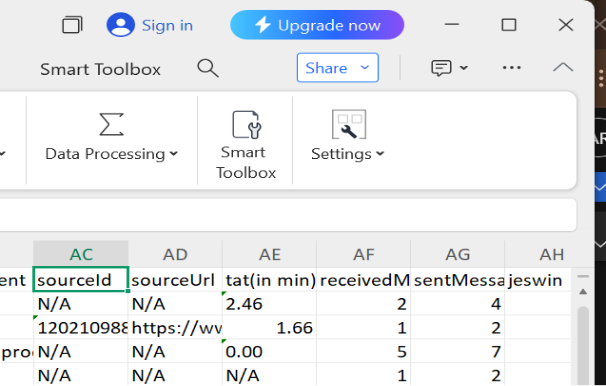
#### **Conversations Report Export: Now Includes Ad ID, Ad URL & TAT**
You can now export filtered conversation reports with more contextual data like:
* Source ID
* Source URL
* TAT (Turnaround Time)
Navigate to **Conversations → Table Icon (next to Filter) → Export** to use this feature.\
#### **Bot – Trigger bot flow using CTWA ad/post**
You can now launch a bot flow when a user clicks on any **Click-to-WhatsApp (CTWA)** ad or **Facebook post** with a "Send Message" button.
**Here is how you can do:**
* Go to **Bot → Add New Flow**
* Choose **Flow Category: CTWA Ad-Based Flow**
* Under **CTWA-based flow settings**, select **“For any ad/post”**
This lets you engage users instantly—whether they message you from a paid ad or a regular post—ensuring no lead goes cold.
# 18 April: CTWA AD analytics, WhatsApp Flow Improvements, and more
### ⚙️ Improvements
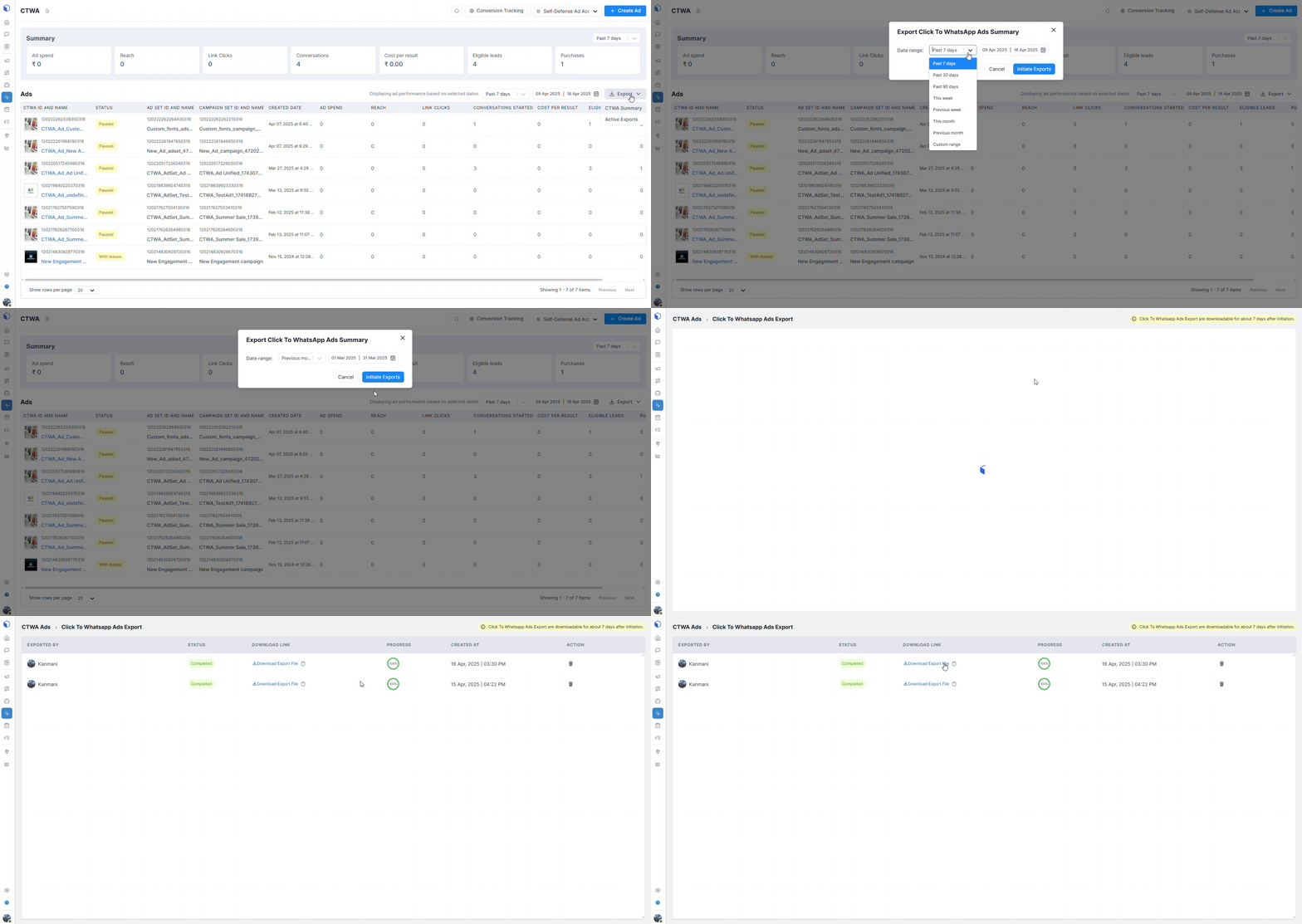
#### CTWA: AD analytics
CTWA has been relocated to the left navigation, providing analytics on created CTWA ads and their performance within the selected date range. You can export CTWA ads data and individual ad conversations, including lead and purchase events if CAPI is configured.
#### WhatsApp Flow Improvements: Duplicate Flow, Mark questions as required
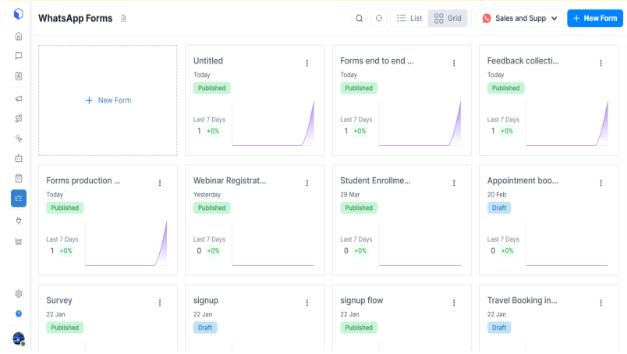
Flows has been renamed "WhatsApp Forms" and this change is reflected throughout the platform, including the left navigation (Flows -> Forms), bots, WhatsApp templates, and canned responses.
A "Clone" feature, similar to that for WhatsApp templates, has been implemented for WhatsApp Forms. Single choice, multi choice, dropdown, and opt-in fields are now mandatory.
If a business manager isn't verified for a channel, a message will prompt them to complete verification to access the Forms feature.
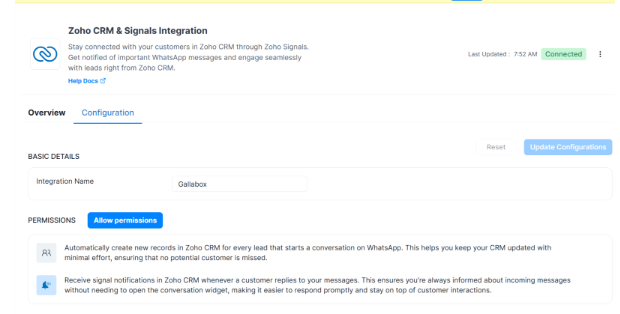
#### Zoho CRM Onboarding flow improvements
Some changes are made in the Zoho CRMs Integration flow.
{% hint style="info" %}
Read more [here](https://docs.gallabox.com/integration/customer-relationship-management-crm-systems/zoho-crm-and-signals).
{% endhint %}
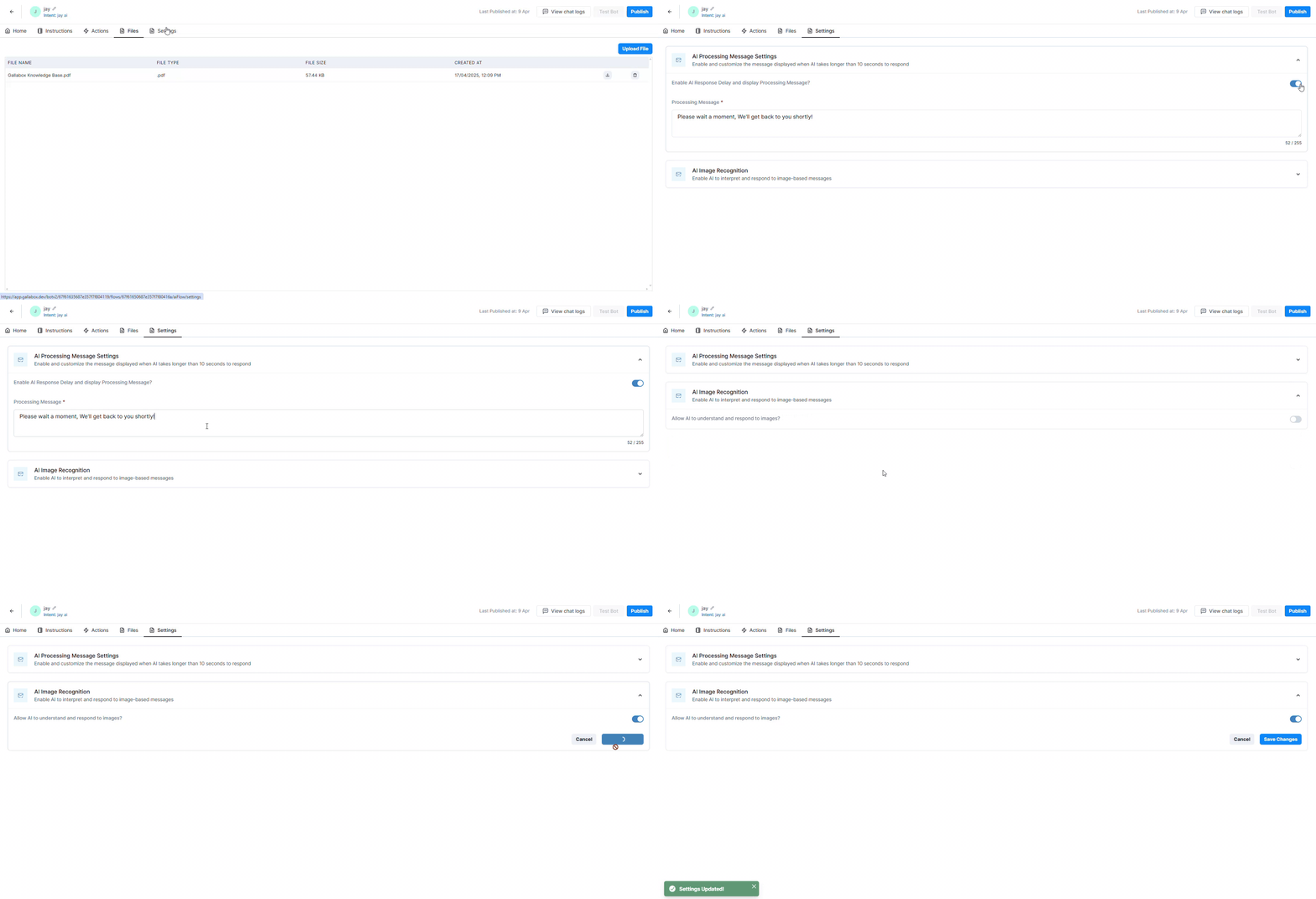
#### AI Chatbot: Image Support and Response Settings
The AI bot flow now includes a Settings tab for configuring the delay message and image processing capabilities.
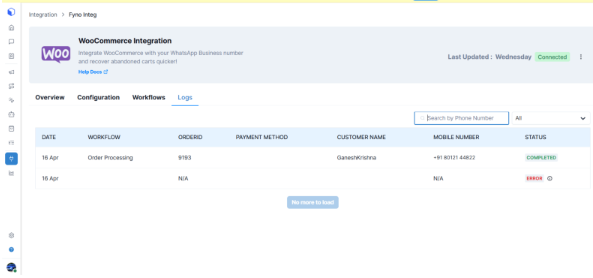
#### Improve integration Log capabilities
As part of the initial improvements to Integration Logs, we have introduced a search feature to look up phone numbers, along with added filter options for Status.
# 16 April: Filtered Contacts save as segments
### ✨ New
#### Contacts: When Filters applied, suggest to create them as a segment
You will now have the option to save applied contact filters as a segment directly from the Contacts page.
# 08 April: Conversations Module Enhancements, Chatbot: Bot Logs Export, and more
### ⚙️ Improvements
#### **Conversations Module Enhancements**
1. **Extended Character Limit**\
Channel and contact names in conversation headers now support up to 32 characters for improved clarity and identification.
2. **Enhanced Resolve Button UX**\
Tooltips now display "Conversation will be resolved" on the Resolve button and tick-mark icon in the conversation header, enhancing action clarity.
3. **User Info Enhancement**\
The username field has been restored to the user info panel in contact conversations for improved usability and context.
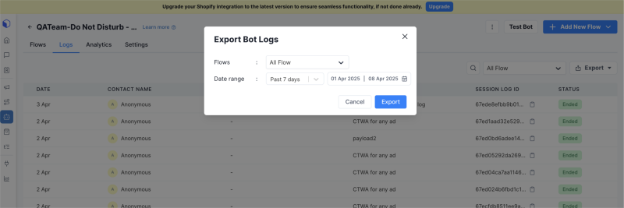
#### **Chatbot: Bot Logs Export**
Filter logs by date range and flow. Download structured logs. View past exports in 'History'.
\
**Button Responses Linked to Broadcasts**
Button responses triggered after an **auto-response** will now appear as a **reply to the original broadcast**, ensuring better context and continuity in the conversation flow.
For example, if a user taps "Yes" on a broadcast message's quick-reply button, triggering an auto-response, any subsequent button clicks will be threaded as replies to the original broadcast.
#### **Improved Response Tracking**
Auto-responses and button clicks are now stored separately to prevent data loss and improve interaction tracking.
For example, if a user clicks "Get Info" followed by "Talk to Support" within the auto-response, both actions are now recorded. Reports count each button or URL click as an individual reply, ensuring accurate tracking (e.g., clicking both "View Product" and "Contact Support" results in two entries). Excel reports now include a "Clicked and Form Replied" column in the broadcast overview summary.

# 26 March: Resolution Notes
### ✨ New
#### **Resolution notes**
We have introduced enhanced functionality for agents to **add, manage, and view resolution notes** when closing conversations. This ensures smoother handoffs between team members and maintains a **complete, trackable conversation history**.
{% hint style="info" %}
Read more [here ](https://docs.gallabox.com/basic-modules/conversation-fields)about Resolution Notes.
{% endhint %}
# 18 March: Push Notification Management, Export a bot-flow as JSON, and more
### ⚙️ Improvements
#### **Push Notification Management**
Users can now manage push notifications, choosing to receive all notifications or customize them based on conversation actions and received messages.
Mobile notifications can be set to deliver only when inactive on the web, or at all times. Users can also configure notification delivery schedules within the mobile app.
#### **Export a bot-flow as JSON and Import**
Bot flows can now be exported and imported, with active exports tracked on a dedicated page. Flows imported within the same account will have all details prefilled.
Manual account and channel details are required after import to a different account

#### **Allow customers to add additional billing emails**
Customers can now add up to three additional email addresses to receive invoices.
#### **Custom Role Permissions with Restricted Access and PII Masking**
Users can now create a default, non-disableable role that restricts visibility to their own conversations. Users with the exception enabled can also create custom roles with PII masking under the Security tab.
PII, which includes data like names, phone numbers, email addresses, and financial details, must be protected to ensure privacy and prevent unauthorized access or misuse.

# 04 March: Increased Template Media Limit
### ⚙️ Improvements
#### **Increased Template Media Limit: Upload Documents up to 100MB**
Gallabox now supports uploading document files up to 100MB in the Media Tab when sending a Template message through broadcast, sequence or individually from the compose box. Additionally, more file types are now allowed such as .pdf, .txt, .xlsx, .ppt, .pptx, .doc, and .docx.
{% hint style="info" %}
When creating a template, the header document media type is limited to a maximum file size of 16MB and supports only the .pdf file format.
{% endhint %}
After creation, users can change the template's media to other Meta-supported formats when sending or viewing the template.

# 12 February: Jump to AI Flow
### ⚙️ Improvements
#### Chatbot: Jump to AI Flow
In bot, now you can jump from Rule based flow to AI based flow. Just select the AI flow name in the field.
# 05 February: CTWA - CAPI Integration and Conversation Report improvement
### ⚙️ Improvements
#### **Conversation : Add FRT and contact fields data in conversation Report download**
Now you can track the FRT (First Response Time) which is the Time that is taken to send the first message to an incoming message by an agent after the conversation is assigned to them. First Response time will be displayed in the conversational Export with information detailing the date and time of the response.

#### **CTWA - CAPI INTEGRATION**
Click on ‘CAPI Configuration’ on the top right corner of the page under Catalog. You will be redirected to login to Facebook next.

Once connected, there are two options as of now to capture the events, Lead event and purchase event.
Lead events can be triggered via two modes, - new incoming message or by adding a conversation tag.
For example- If a user goes to XYZ website and adds a product to the cart , then they will be considered as a lead event . The event is triggered by a specific action that indicates a potential for conversion or engagement. In this case, adding a product to the cart shows interest in purchasing, which makes it a "lead" event.
Purchase events can be triggered by adding a conversation tag. We can also provide the average order value that a contact is expected to pay. If these conditions are satisfied, the purchase event will be captured in the overview. The events are tracked in logs under the events column and can be viewed in export also.
\
By integrating the Gallabox CTWA API, you can effectively manage Click-to-WhatsApp campaigns, enhancing customer engagement through direct WhatsApp conversations initiated from your advertisements.
# 28 January: Add Note while setting Follow-up
### ⚙️ Improvements
#### **Shared** **Inbox - Ability to add note while setting follow-up**
When creating the follow-up reminder, you now have the option to add specific notes that provide more context about the task. These notes can help you remember important information or the purpose of the follow-up.
Once the reminder is set, you will also be able to receive push notifications as the follow-up date approaches. This ensures you do not forget about the task and have all the relevant information at your fingertips, making it easier to stay organized and manage your follow-up effectively.
# 22 January: Chatbot AI Logs and Bot flow drop off improvement.
### ⚙️ Improvements
#### **Chatbot: AI Bot - Logs**
We have added the option to navigate to the logs within the flow page and when clicking on a log under logs in flow listing page**.**
The logs will be organized and presented in a way that resembles a conversation module, where each log entry is displayed as a separate, distinct conversation.
The information regarding the assignment actions and API call are enclosed within the info icon in the conversation logs of the Conversation Module. \
For instance – Click on a particular conversation, the log will be displayed in grey. Click on the ‘i’ to view the action information.

### **Bot & flow drop-off can be set in hours & days**
The value for Bot drop-off and flow drop-off, the time for drop-off can now be set in Hours and Days. The maximum value for minutes is 59, for days it is 7 and for Hours it is 23.
# 08 January: Broadcast - Retry Logic on Failure, activity log improvement, and more
### ⚙️ Improvements
#### **Broadcast - Retry logic on Failure**
Error 131049 - Meta has restricted the user from sending the marketing template for a period. To resolve this, we can retry the failed template using the broadcast retry.
Broadcast retry consists of two types: smart retry and manual retry. Smart retry allows for automatic retries over a selected period of up to 7 days. In manual retry, the first retry can be scheduled 12 to 24 hours later, while the second and third retries can be set for 6 to 24 hours.
When using the Manual Retry option, we can schedule up to three retry attempts for failed messages. For a broadcast initially set for 10:30 AM on January 8th, the retries would be as follows:
\
1\. First retry: 24 hours later, on January 9th at 10:45 AM.\
2\. Second retry: 12 hours after that, on January 9th at 10:45 PM.\
3\. Third retry: another 12 hours later, on January 10th at 10:45 AM.
{% hint style="info" %}
For optimal results, we recommend allowing a minimum of three days to maximize retry attempts. If the last retry which is the third retry also fails, the retry status will be elapsed.
{% endhint %}
#### **Activity Logs now records user-level active and inactive status**
Changing the activity status by the user or admin creates entries in the Activity log to monitor user actions with Active and Inactive Status.

#### **Rich text editor similar to WhatsApp**
The Conversation module now includes new formatting options: Monospace, Number List, Bullet List, and Block Quote. These options are also applicable to Canned Responses, and Bullet and Number List formats have been added to Template Messages.
For a numbered list, use 1. 2. 3. followed by a space. For bullet points, start a line with - followed by a space.
# 02 January: Team Creation and Management for Shared Team Inbox
### ⚙️ Improvements
#### **Team Creation & Management for Inbox**
The conversation module now permits direct assignment of conversations to specific teams, selectable via a drop-down menu.
When creating a Team, a channel and color code are required, with an assignment logic. Once mapped to a team, a channel appears in the conversation assignment options.
For instance, if the ‘Marketing team’ is linked to ‘Channel 1’, it can be selected in the drop-down. Conversation assignment follows the assigned logic.
Know more about [assignments ](https://docs.gallabox.com/conversations/manage-inbox#user-assignment)and [Team Creation](https://docs.gallabox.com/account-management/user-teams-and-roles#create-a-team) in Gallabox.
# 13 December: CTWA Ad based flow
### ✨ New
**Chatbot: CTWA Ad based flow**\
We can now create a CTWA ad-based flow that can be triggered by a specific ad ID or for all ads.
{% hint style="info" %}
To find the Ad ID
1. Go to [Ads Manager](https://www.facebook.com/ads/manage/accounts/?campaign_id=163681540489385\&creative\&placement=%2Fbusiness%2Fhelp%2F2534657046763437).
2. Click on the campaign, ad set or ad you want to trigger the bot in Gallabox for.
3. Find the number in your browser's address bar. If you have trouble with locating your campaign, ad set or ad ID in the address bar, look for **selected\_campaign\_ids**, **selected\_adset\_ids** or **selected\_ad\_ids** in the URL.
{% endhint %}
A few session variables have been added to share or store values used throughout the bot flow.
### ⚙️ Improvements
**CTWA Tagging and Timer Display for Conversations**
Conversations via CTWA will have a unique tag for easy identification. A 24-hour session opens once a conversation starts. If the business replies within this time, a 72-hour window follows for further discussion and issue resolution, encouraging active communication.
If a contact is created through CTWA, the CTWA source URL, source ID, and contact creation source are displayed in the right panel and are not editable.
For example –
* **CTWA Source URL**:
* **Source ID**: 12345-abcde
* **Contact Created Source**: CTWA

# 12 December: Pipedrive bot connector, Pipedrive Widget, and more
### ✨ New
#### **Pipedrive Widget**
The Gallabox Conversation Widget will be integrated into Pipedrive's Contact Module, allowing users to interact with their contacts directly. They can send predefined templates, personalized messages, and media files (e.g., images, videos, or documents) within the Pipedrive platform.
#### **Pipedrive Bot Connector**
A Unique Lead & Deal will be created using the Pipedrive Bot Connector during the bot flow.
### ⚙️ Improvements
#### **CTWA Export Excel**
When exporting CTWA leads, the "Source Content" header will be included in the CTWA Export Excel, which will also display fields such as Ad content, Source, Source URL, Source ID, CLID, contact name, and phone.
# 06 December: Industry-Specific WhatsApp Templates and more
### ⚙️ Improvements
#### **Industry-Specific WhatsApp Templates**
We have updated our WhatsApp Template Library adding more WhatsApp Templates for Industries and specific use-cases.
#### **Deleting canned response**
Users cannot delete a canned response if it is used in any automation. First, remove it from all active automations, then it can be deleted.

# 05 December: WhatsApp Flow Industry-Specific Templates, Chatbot Variables, and more
### ⚙️ Improvements
#### **WhatsApp Template media**
You can now upload the media (videos & doc files) to create a WhatsApp template with up to 16MB size, making it easier to share richer media content through WhatsApp templates.
The upload limit for image files continues to be **5MB**, ensuring that image uploads remain fast and optimized for performance.
#### **WhatsApp Flow Industry-Specific Templates**
WhatsApp flow templates are now categorized by industry for easy browsing. Users can find templates mainly in Ed-tech, Healthcare, Travel, Real Estate, and E-commerce. A search option is also available for quick retrieval by name.
#### **Chatbot Variables**
We can now add variable buttons for the following cards in the Bot module:
* Send form
* Ask list option
* Ask form
* Send list option
* Send Button Option (CTA URL)
For example, click the Bot icon on the left panel, select the bot, and then the appropriate flow. Choose the Send list card and create a variable name to store the response. Once created, you can select the variable from a dropdown. If a customer picks a product, you can reference the details later in the flow to confirm their order.

# 29 November: Fyno.io Integration
### ✨ New
#### **Fyno.io**
Fyno.io (Bulk messaging API) is a marketing automation platform that helps businesses manage and automate their marketing campaigns. It allows companies to send personalized messages, track customer interactions, and improve customer engagement across different channels like email, push notifications, and SMS, all from one place.
With Fyno, you can send personalized WhatsApp notifications and broadcasts to specific customer segments. It also allows you to set custom triggers and manage responses through a WhatsApp chatbot. All the templates that are created in Gallabox are synced in Fyno.
Know more about the Integration [here](https://docs.gallabox.com/integration/marketing-and-engagement-platforms/fyno).
# 26 November: AI Generated Bot
### ✨ New
#### AI Generic Bot
A new AI feature is launched. You just need to define Goal, what role the bot would like to play, teach the bot to understand and reply to users, and then launch it on your website or app. It's like having a helpful virtual assistant, ready to assist your customers 24/7.
{% hint style="info" %}
Know more [here](https://docs.gallabox.com/bots/flow-in-the-bot#create-a-flow-using-ai).
{% endhint %}
# 22 November: WhatsApp Flows Improvement, Custom Credential, and more
### ⚙️ Improvements
#### Improved Conversation Management Interface
Previously, when a conversation is resolved for a contact and then initiating a conversation to the same contact, it started a new conversation. Now two options will be displayed - 'Reopen' & 'create a New Conversation'. You can either re-open the previous conversation or initiate new conversation with your contact.
#### Zoho Integration: Contact Sync and architectural changes
Zoho CRM and Zoho Signals have been merged into one integration enhancing functionality and user experience. The Leads and Contacts will be synced from Gallabox to Zoho when the toggle is enabled and the corresponding module is selected in Gallabox
{% hint style="info" %}
Zoho Signals is exclusively accessible to those on the Scale and Growth plans, offering enhanced capabilities for advanced users.
{% endhint %}
# 07 November: MiiTel Integration - Phase 1,Channel Config Changes, and more
### ✨ New
#### MiiTel Integration - Phase 1
Gallabox has introduced a new integration, MiiTel, which adds calling functionality for users. They can start calls to contacts directly from the conversation screen by clicking the call icon. The call button will be disabled if the user is already on a call.
{% hint style="info" %}
Know how to Integrate [here](https://docs.gallabox.com/integration/other-integrations/miitel).
{% endhint %}
### ⚙️ Improvements
#### Channel Config - Working hours, Closed days and Special days
We have improved the Working Hours Configuration by adding options for Working Hours, Closed Days, and Special Days, enabling dynamic business hours.
The working hours can be configured from Monday – Sunday and the users can be able to configure the time ranges with hour and minute precision.
Closed days provide users with an option to select a single day or a range of dates for closed days. Note that the time component is not needed for these selections.
Special days to allow users to select either a single day or a range of dates for customizable working hours.
{% hint style="info" %}
Know more about improvements [here](https://docs.gallabox.com/whatsapp-channel/configuration-message-settings#business-hours).
{% endhint %}
# 30 October: Network International payment gateway integration and more
### ✨ New
#### Network International payment gateway integration
Gallabox has launched a new payment gateway integration, enhancing transaction security and flexibility. As a prominent payment solutions provider in the Middle East and Africa, you can connect through the Integrations section on the left panel under Network International. They offer diverse payment processing services, value-added services, and e-commerce solutions.
{% hint style="info" %}
Know more [here](https://docs.gallabox.com/payments/establish-connection#network-international).
{% endhint %}
#### Conversation Pricing Update effective from November 1st
Meta has made service conversations free starting November 1st, which will be implemented in Gallabox on the same date. This allows businesses to scale their support efforts sustainably, as they can have unlimited user-initiated conversations without incurring extra charges or hitting tier limits. Additionally, utility prices in the 'Rest of Africa' will also be reduced effective November 1st.
{% hint style="info" %}
Know more [here](https://docs.gallabox.com/pricing-and-billing-modules/conversation-pricing#conversation-pricing).
{% endhint %}
# 25 October: Authentication Template, Coupon Template improvements, and more
### ✨ New
#### Template: Authentication Template & Limited offer Template
Authentication for OTP verification via WhatsApp includes three code delivery methods: zero-tap, one-tap, and copy code. It allows for security recommendations and an expiration time, with a maximum limit of 90 minutes. The authentication template can only be sent through the bot and developer API, and currently, users can only send it to recipients within the same country. Attempts to send the template internationally will fail.
#### Limited time offer template (LTO)
Limited-time offer templates enable you to showcase expiration dates and countdown timers for offer codes in messages, facilitating communication of time-sensitive offers and enhancing customer engagement. The pricing for LTO templates is the same as that for marketing templates. LTO templates are available only through the Cloud API and are excluded from integration.
{% hint style="info" %}
[Know more](https://docs.gallabox.com/basic-modules/whatsapp-templates/limited-time-offer-templates).
{% endhint %}
### ⚙️ Improvements
#### Coupon code template improvements
Default sample code is loaded when sending the template. The non-editable 15/25 word count was removed from the UI, along with a note indicating that the value is fixed. Five templates for coupon codes have been introduced, one for each industry. Users can edit the coupon code when sending via Conversation, Broadcast, Sequence, Bot, and Integrations.
#### Beta Release of App Language Selection in User Profile
You can now change the application language directly from your profile settings. Choose from the following languages:
* English
* Portuguese
* Spanish
* Arabic
* Bahasa
{% hint style="info" %}
Note: This feature is currently in beta, and we welcome user feedback to help us improve it.
{% endhint %}
# 18 October: Conversations Analytics, and more
### ⚙️ Improvements
#### Conversations Analytics
In Dashboard, Conversation Analytics has been added. This will display the overall conversation status channel wise and user wise in the first section for the selected time range.
The second part has TAT and FTR which are calculated based on the user level and channel level. This can also be viewed within business hours. It doesn't include conversations that are handled by bot.
The third section houses the Active Conversations by Status and Conversation status (Agent level).
#### Broadcast: Stats Summary Download Option
You can now download broadcast report based on the Date range. The history of downloaded broadcast reports and individual broadcast reports can be found under Export. A maximum of 6 months’ worth of broadcast data is available for download.
# 10 October: Broadcast Changes, New UI for WhatsApp Widget, and more
### ⚙️ Improvements
#### Broadcast Detail page improvements
* The Credit Estimate is now renamed to Spend Estimate. The page will be auto refreshed when entering to the Broadcast module or if any new broadcast is initiated and came back to the Broadcast module.
* For Failed WhatsApp Messages, you can view the Error Code and How the error can be fixed. Know more.
#### WhatsApp Widget: New version of widget via UI
In the new WhatsApp widget version, a compact mode has been added, featuring a "Customer Reply Text." If users want to chat with us, they can simply click on "Chat with Us."
{% hint style="info" %}
Know more about new WhatsApp Widget [here](https://gallabox.gitbook.io/gallabox-docs/whatsapp-channel/widget-for-your-website).
{% endhint %}
#### Bot Connector google sheet - Google OAuth app change, Provision to select the sheet from Drive
Now you can select a spreadsheet from the drive instead of choosing a google spreadsheet from the dropdown.
# 12 September: Case Studies Widget, and updated account checklist.
### ⚙️ Improvements
**Checklist based on selected use-case**
The checklist has been updated to correspond with the selected use cases for each module. This revision enhances clarity by outlining how each module is intended for various scenarios, enabling users to better understand their context and functionality.
This enhancement enables users of all account types—sandbox, free trial, and paid—to access use-case details. Whether testing features, evaluating the software, or utilizing a full subscription, the updated checklist provides relevant insights tailored to your account’s use case.

**Add Case studies Widget**
When a user creates a Gallabox account and selects an industry type, the "Add Case" widget adapts to the chosen industry. If the selection doesn't fit any predefined categories, a default "Star Flow" widget will be displayed. This feature is available for all account types, including sandbox, free trial, and paid accounts.
The default case studies are provided since the chosen industry did not align with any available options.

# 06 September: Conversation Activity Log and Enhanced Bot functionality
### ⚙️ Improvements
#### **Enhanced functionality for adding new nodes in the bot**
You can now add cards in the Bot by clicking the ‘+’ icon on the nodes or by dragging and dropping onto the desired location. Clicking the ‘+’ icon opens a smaller node drawer where users can search for or select the required card to create the flow.
#### **Conversation Level activity log**
You can access detailed information on conversation changes and view a comprehensive activity log that records various actions, including assigning or unassigning the conversation to a user, BOT, or team, resolving or closing the conversation, and initiating it from either the end user or Gallabox User.
Conversation Log in Web Application
Each of these actions will be logged and displayed on the corresponding conversation screen. The activity logs will be updated in real-time and are available on both the web and mobile applications, reflecting actions performed from either platform. This ensures that all changes and interactions are accurately recorded and easily accessible across all devices.

# 01 September: Template Status, Circular Chatbot Improvement, and more
### ✨ New
#### **Display Template status**
The template status can now be displayed in all modules where templates can be sent, including Broadcast, Sequence, Conversation, Integration, and WhatsApp Template. The status types—`created`, `approved`, `rejected`, `pending`, `submitted`, `error`, `in appeal`, `paused`, and `disabled`—will reflect the status received from Meta.
#### **WhatsApp template: Template quality rating warning**
Using a template with a low-quality rating will trigger a warning message in the Broadcast and Sequence module prior to sending. This warning merely alerts you to the template's low quality; it doesn't prevent sending. Quality ratings are classified as `LOW`, `MEDIUM`, or `HIGH`.
> Know More [here](https://gallabox.gitbook.io/gallabox-docs/basic-modules/whatsapp-template-guidelines#whatsapp-templates-status).
#### **Bot Trigger type via Session Variable**
In the Bot, session variables including "trigger by" and "trigger type" are added. When a Bot is triggered by an intent match, "trigger by" is labeled as "intent\_match." If triggered from the compose box, it appears as "compose." For example, if the keyword "test" triggers the bot, using "test" will set the trigger type to "intent\_match," while triggering it from the compose box will indicate "Compose."
> Know more [here](https://gallabox.gitbook.io/gallabox-docs/bots/things-to-know-before-building-your-first-bot#gallabox-system-variables-and-formats).
#### **Wait for order card**
A new node, 'Wait for Order,' has been added to the Bot, functioning like an Ask card. It requires a question text and, by default, enables Fall back. When executed, this card prompts the end user to place an order. It utilizes session variables for Order items and Order amount.
> Know more [here](https://gallabox.gitbook.io/gallabox-docs/bots/bot-utilities/wait-for-order).
### ⚙️ Improvements
#### **Logs for Google Sheet bot connector**
Users can now view Google Sheet connector logs for adding, updating, and fetching rows. This enhancement aids in identifying and diagnosing issues during bot operations by providing detailed information about errors, facilitating easier problem resolution.
#### **UI/UX - Activity log redesign**
The Activity Log interface has been updated, allowing users to filter logs by both module and user. For example, users can now see all changes made to the Broadcast, with different color labels indicating updates, creations, deletions, and sent items.
#### **Chatbot - Circular bot functionality improvement**
The bot is configured to include a delay before completing the flow and ending the session. You can set this delay between 0 and 60 minutes. If you set the delay to 0 minutes, the session will end immediately after the last action or card is executed.
#### **Marketing opt-out & opt-in message**
The keyword "STOP" still triggers the marketing opt-out functionality, but customers can now use additional keywords and customize the marketing confirmation messages. While "STOP" remains mandatory, the extra keywords are optional. In the image below, we have selected "Cancel" and "Unsubscribe" as additional keywords for marketing opt-out.
# 27 August: Mobile app update
New features and enhancements have been implemented in Mobile app v2.
### ✨ New
**Assign/Unassign conversation interface like web**
The mobile app's interface for assigning and unassigning conversations matches the web interface. An icon now indicates if a conversation is unassigned, a feature that was previously unavailable.

 
**Message reactions - bubble component**
Users can now react to messages easily by tapping on them.
 !\[A screenshot of a chat
Description automatically generated]\(/files/GMGH2ElDBRpPAXQ6KhSI)
**Message translate**
You can translate any message by long-pressing it to access the option header, where they can click the "Translate" icon.
  \
**Message information**
Long-pressing the message enables the user to access the option header. From there, the user can select "info" to see details such as the message source, template name, message status, and remarks on the message failure reason.
 
**Location as Message Header**
The enhancement allows the user to view the location within the location template.
!\[A screenshot of a chat
Description automatically generated]\(/files/QiEQCdmZuEEyZxWSsQS6)
**Media download**
Users on Android 9 and earlier must grant access to download files.
 
**Implementation of Race condition in Unassigned.**
We have implemented a race condition similar to the web version, preventing multiple agents from messaging a conversation simultaneously. Click ‘Assign to me’ to assign a conversation; it will go to the first user who clicks it.

**What's new Popup**
A "What's New" popup appears after updating the Gallabox mobile app, showcasing new features, enhancements, and bug fixes, along with a link to this month's releases.

# 23 August: Identify Bot Errors, Sangam CRM, Coupon Code, and more
### ✨ New
#### **Coupon Code**
A new button (Coupon Code) has been added in both the Categories - Custom marketing and Custom Utility templates.
{% hint style="info" %}
Please ensure that the sample code has ONLY alphanumeric (special characters are not allowed) and that it does not have any space in between characters.
{% endhint %}
#### **Sangam CRM is available integrations**
Click on ‘Plug’ icon and we can see that Sangam CRM is an integration available in integrations. Clicking on it, it will redirect the user to that URL.
#### **Easily identify and rectify errors while publishing the bot**
Once the bot is built, modified, and published, any errors in the bot flow will be indicated by a ‘Caution’ icon in the top right corner of the page. An error description will accompany a ‘Go to Card’ button, which, when clicked, will direct the user to the problematic card and highlight it.
The types of errors that will be notified are:
1. **Start block not connected** – If the start node is not connected to a card, an error message will appear stating ‘Connect the start block.’ Click on ‘Go to Card’ to fix the error and link the start block to the first card.
2. **Cards are in circular dependency** - A circular dependency arises when the conversation flow creates a loop, leading to repeated interactions without progress and leaving users trapped in a cycle of responses that return them to the same point.
This typically happens when the nodes in the card are not properly connected. Ensure that the End node of the first card is linked to the Start node of the second card.
3. **Block configured in Jump-to is not connected to another node**
This error arises when the Jump to card contains an incorrect block ID or when the configured block is not linked to another node, leading to an infinite loop.
### ⚙️ Improvements
#### **Conversation report under the analytics module**
Click the ‘Analytics’ icon and select the Conversation Report. By default, Owners and Admins can view the conversation reports, while Members cannot. When customizing roles, conversation reports in Analytics can be enabled only if the user has access to the Conversation module.
### 🔧 Fixes
Below listed bugs were detected, and they have now been fixed.
1. Conversation - Conversations in mine inbox were not arranged as per timestamp.
2. Conversation - The length of the text were improperly aligned while sending the PDF with text.
3. Case sensitive in field name to be ignored while scheduling the Broadcast.
4. Integrations: Google sheet connect button is not responding when click.
5. Order Flow setting in Bot - When saving Order based flow settings, the page goes blank.
# 14 August: Custom Role Settings, Canny Prominence , and more
### ✨ New
1. **Custom Role - Role & restrictions**
The custom role feature enables Owners and Admins to create and manage roles that meet their organization's specific needs, rather than relying solely on predefined roles like "Admin" or "Member." This feature allows for the definition of specific actions or permissions for users in that role. It is available in the Scale and Pro plans, allowing up to 3 and 5 custom roles, respectively.


**Role Settings**
Permissions for each module (Conversations, Contacts, Broadcast, Bot, etc.) can be tailored to meet organizational needs, allowing specific user access to be configured accordingly. For example, in the 'Contact role settings,' permissions can be set to enable or disable a user’s ability to:
1. View and update the contact list
2. Manage the contact list
Users with this permission can view contacts, edit existing ones, and add new contacts.

### ⚙️ Improvements
**WhatsApp Channel webhook check**
You can verify the proper setup of the webhook for a channel in Settings > WhatsApp Channel. To check the channel's health, simply click on this icon.

If issues are detected, the ‘Fix Channel Issue’ icon will appear. Clicking it will properly configure the Webhook for that channel.

**Increased Prominence of ‘Latest Updates’ and Canny**
The Gallabox home page has undergone some changes, notably enhancing the visibility of "What's New" (Latest Updates). Users can now use Canny to give feedback, view the Gallabox roadmap and changelog, and submit feature requests. Additionally, the home page is now accessible to all users, regardless of their role.

# 08 August: WhatsApp Flow Builder
### ✨ New
#### WhatsApp Flow: Flow builder
You can now create flows directly in Gallabox with an easy drag-and-drop interface. WhatsApp Flow created in Gallabox syncs with Meta, and content created in Meta replicates in Gallabox.

You can either build from scratch or use the WhatsApp form templates provided in Gallabox.

# 01 August: WhatsApp Native Payment Template Message
### ✨ New
New Template Category Created: WhatsApp Native Payment Template Message
A new Template category, Payment Utility, has been added under Utility Templates. This allows payment requests to be sent to customers by selecting products from the catalog or creating custom products for payment collection and completion purchase.
> Know more [here](https://docs.gallabox.com/basic-modules/whatsapp-templates/order-details-template).

# 24 July: Chatbot Flow types, Segment Management, and more
### ✨ New
#### CHAT BOT- flow types
In the bot-builder, Gallabox has created a new flow type and enhanced the usability. There are three types of Flow now –
* Order based
* Message based
* WhatsApp flow based (new)
> Know more [here](https://docs.gallabox.com/bots/flow-in-the-bot#types-of-flows).
### ⚙️ Improvements
#### Segments/Groups management
Segments can be created using contact filters and are dynamic, applying to both new and existing contacts. When a segment is created in the broadcast module, it will also appear in the Segment section of the Contact module, and vice versa. Previously, creating a segment in the broadcast module involved additional steps, but now users can create segments directly under contacts.

#### Channel access limitation to certain users
Previously, user restrictions were limited to certain areas. Now, if a user is restricted from a channel, they will **not** be able to view any conversations, broadcasts, sequences, templates, or channel settings from that channel.
For example, if a user is only added to the Marketing channel, we can restrict their access to other channels they are not part of. Thus, only the Marketing channel will be enabled, while other channels will be disabled for that user.

#### AI Rewrite
In the conversation tab, The AI rewrite feature which can be seen in the compose box will be enabled only after inputting a **minimum** of three words.

#### Create outgoing message webhook
A New Webhook is added in the Message -> Message Send. If any message is sent from the Gallabox, this webhook will be triggered.

# 17 July: Bot Builder UI Change
### ⚙️ Improvements
#### **UI Change- Bot Builder page**
In the Bot Builder page, the right pane UI has been updated. Now, all cards are displayed under their respective categories explicitly. For example, the "Send a message" node contains all the "Send" cards.
{% hint style="info" %}
We have enabled several premium nodes, marked with a crown icon in the top-right corner of each card. Look for these highlighted cards to identify premium nodes available in your plan.
{% endhint %}
Cards from the previous version will not be affected by the new restrictions. However, users will not be able to:
* Duplicate the card
* Duplicate and publish the flow
* Clone and publish the bot if there is any restriction