> For the complete documentation index, see [llms.txt](https://changelog.gallabox.com/llms.txt). Markdown versions of documentation pages are available by appending `.md` to page URLs; this page is available as [Markdown](https://changelog.gallabox.com/january-2025/22-january-chatbot-ai-logs-and-bot-flow-drop-off-improvement..md).
# 22 January: Chatbot AI Logs and Bot flow drop off improvement.
### ⚙️ Improvements
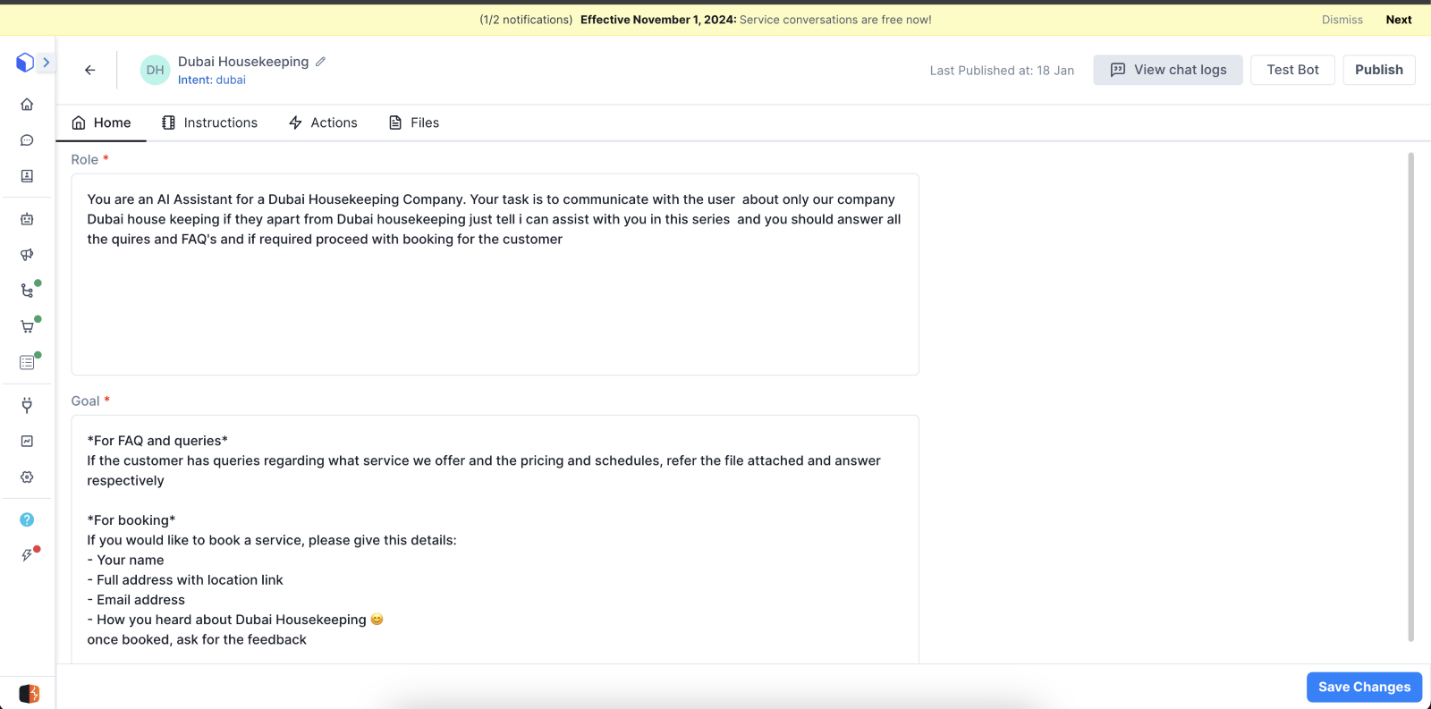
#### **Chatbot: AI Bot - Logs**
We have added the option to navigate to the logs within the flow page and when clicking on a log under logs in flow listing page**.**
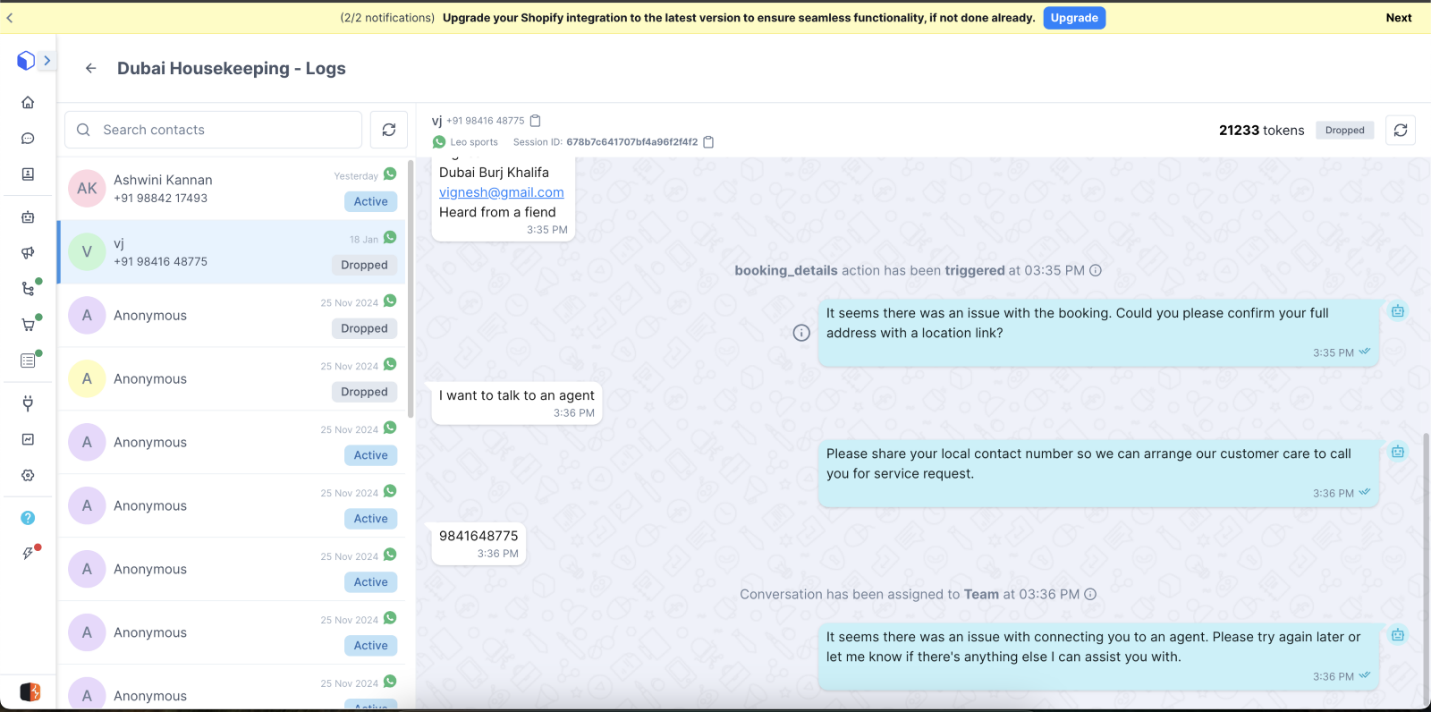
The logs will be organized and presented in a way that resembles a conversation module, where each log entry is displayed as a separate, distinct conversation.
The information regarding the assignment actions and API call are enclosed within the info icon in the conversation logs of the Conversation Module. \
For instance – Click on a particular conversation, the log will be displayed in grey. Click on the ‘i’ to view the action information.

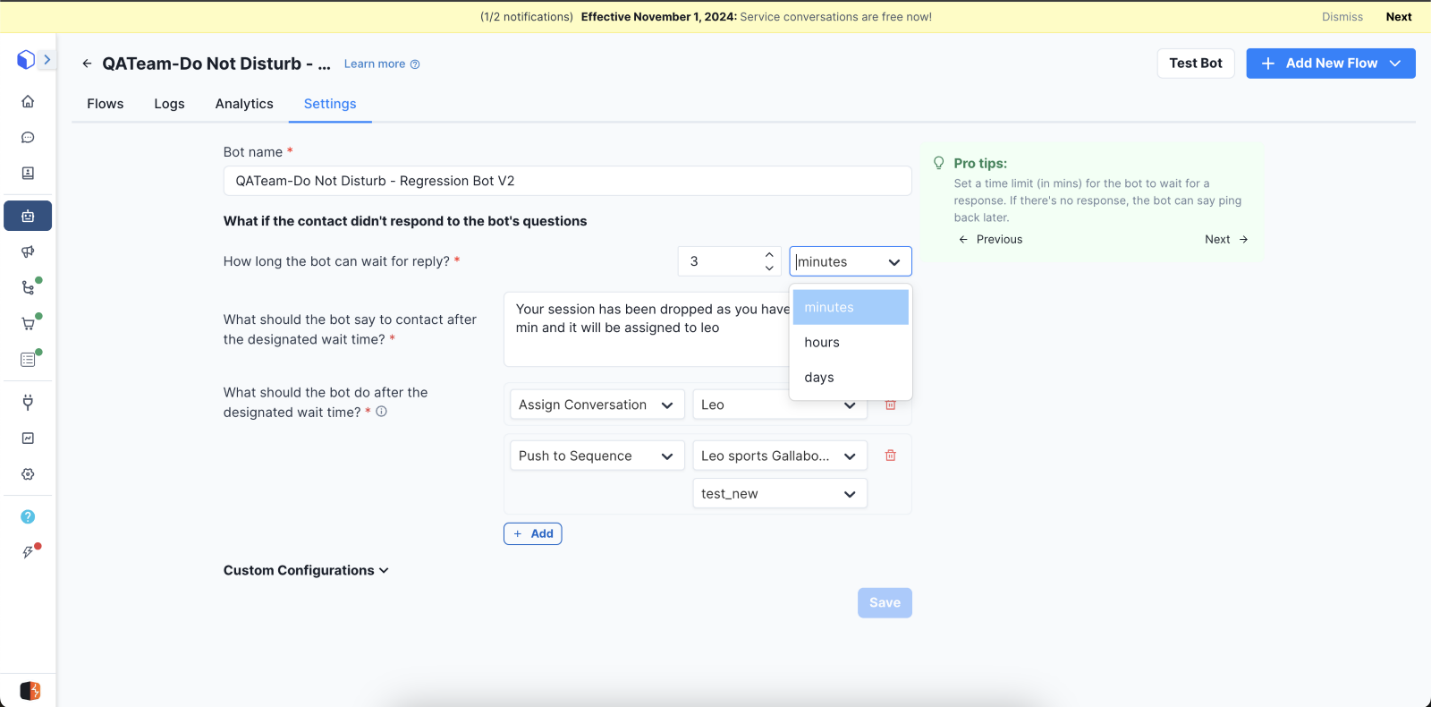
### **Bot & flow drop-off can be set in hours & days**
The value for Bot drop-off and flow drop-off, the time for drop-off can now be set in Hours and Days. The maximum value for minutes is 59, for days it is 7 and for Hours it is 23.